 GeoCalendar
One more visit a day for HVAC crews
A booking link that offers customers the times closest to your other visits. Your days fill up in tight loops instead of zigzags across town, with the drive between each visit already on the calendar.
No credit card required · Already using GeoCalendar? Sign in

Works with what you already use
Your calendar and your meeting links already hold the day, and your CRM holds the customers. GeoCalendar reads all three rather than asking you to keep a fourth in step.




Built for work that happens at an address.
If a customer picks the time and you drive to them, booking is where the mileage is decided. These are the trades where that shows up first.
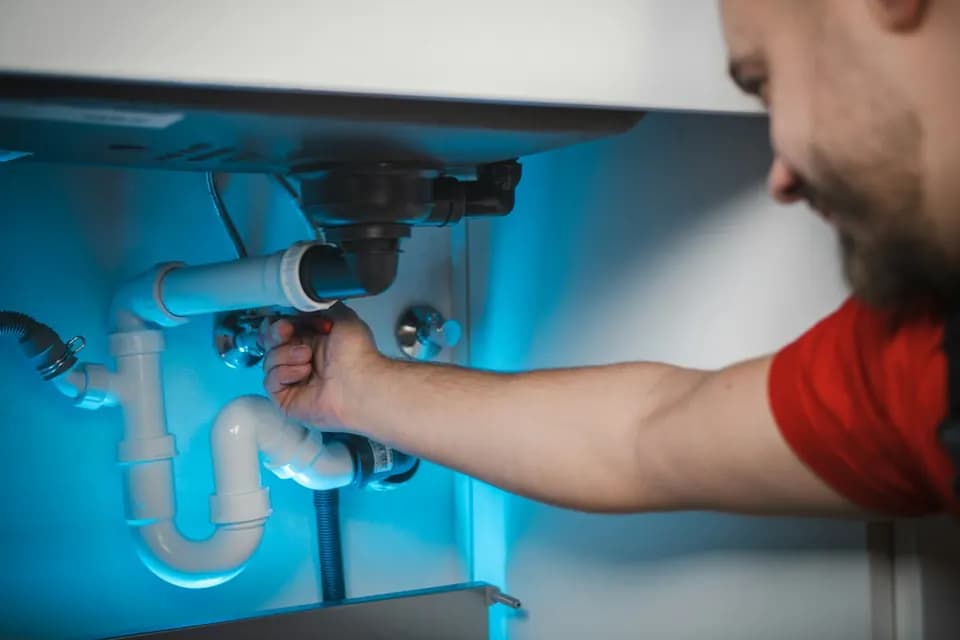 Home servicesHVAC, plumbing, electrical, appliance repair. Estimates and repairs at customer addresses, several a day, booked by the customer.
 Cleaning and recurring visitsMany short jobs a day is the shape that benefits most — every avoided cross-town leg is another visit that fits.
 Lawn, pest and mobile detailingRoute-dense trades where the margin per stop is small and the drive between stops is the cost.
 Field sales and estimatesReps who drive to prospects. Bookings land near the meetings already on the calendar, and the CRM’s contacts sit in one list with each one’s last and next visit.
 In-home wellness and careMobile massage, personal training and companion care, where most of the week is clients you see every week.
 Inspections and appraisalsProperty inspectors, notaries, adjusters and surveyors — one address at a time, all day.
Everything you need to book by route
The calendar, the map and the booking page work from the same addresses, so every time you offer fits the day you already have.
Calendar
A week view that shows the driving.
Every in-person visit sits between drive-time blocks, so a gap on your calendar is a real gap. Open any visit to see where it is, filter the week by event type, or put the whole team on one timeline.
- Drive time blocked both sides
- Filter by event type
- Team timeline
- Google and Outlook sync both ways
Map
See each day as a route, not a list.
Visits numbered in order on real roads, with the drive between them and the run home. Put your customer lists on the same map as colored pins, and book a visit straight from one.
- A route for every day
- Customer lists as pins
- Book a visit from a pin
- Seven map styles
Widget
A booking page that asks where first.
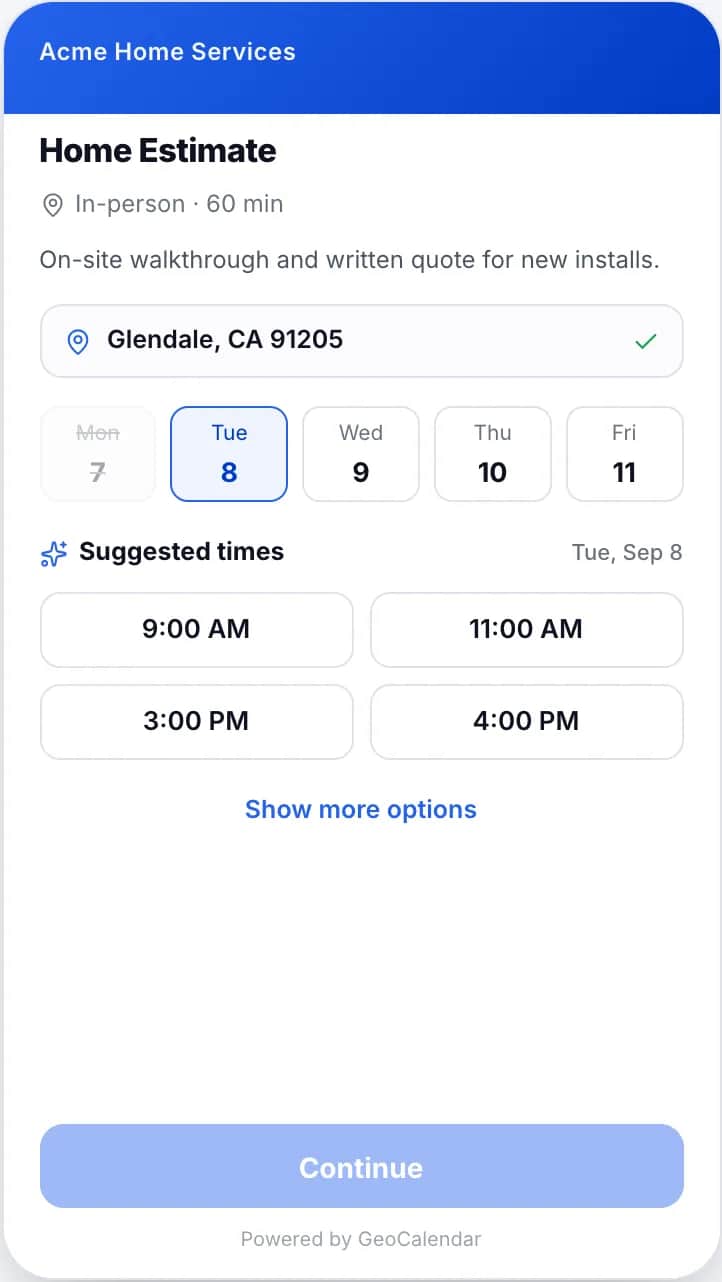
Customers enter their address before they see a time. GeoCalendar checks it against your service area and leads with the times next to visits you already have; every other open time is one click away.
- Address before time
- Suggested times first
- Every open time on request
- A link, or embedded on your site
Event types
One event type for each job you do.
Length, hosts, service area and booking fields live on the event type, with a live preview of the booking page beside the settings, so you see what customers will see before you save.
- Smart Suggestions per event type
- Service area by distance or drive time
- Co-hosts and rotating pools
- In person, virtual or custom
Analytics
Know what booking by route saved.
Miles and drive time saved, the extra visits that fit in that time, how often customers take a suggested time, and where bookings drop off, for you or for the whole team.
- Miles and drive time saved
- Suggested-time acceptance
- Booking funnel
- Export as PDF
Three steps to a booking link.
Connect, configure, share. Nothing to install for you or your customers.
Connect your calendar
Google or Outlook. Busy times block booking immediately and new bookings land back on your calendar.
Create an event type
Duration, service area, home base, travel buffers and the fields you want customers to fill in. Turn Smart Suggestions on.
Share the link or embed it
A direct link for emails and texts, or a two-line embed for the site you already have. Bookings start filling the route.
Simple plans. Fourteen days free.
Every account begins with fourteen days of the Team plan, no card.
Basic
One person, one calendar.
$15/ month
$19/ month
billed annually
billed monthly
- Unlimited event types
- Google & Outlook Calendar
- Smart Suggestions and map view
- Website embed
- Booking analytics
Team
A crew sharing a service area.
$24/ month per user
$29/ month per user
billed annually
billed monthly
- Everything in Basic
- Multiple users
- CRM integration
- Onboarding and support
Enterprise
Larger teams with custom needs.
Custom
- Everything in Team
- Volume pricing
- Onboarding and priority support
Prices in USD, excluding tax. Annual plans are billed once a year at twelve times the monthly rate shown. Change or cancel from Settings at any time.
What people ask first.
What are suggested times?
With Smart Suggestions on, each day shows a short list of the times that fit best around visits you already have nearby, so choosing one adds little driving. Customers can always open the full picker with "Show more options".
Does GeoCalendar ever hide times?
Only when a slot is physically unreachable within your "max drive between visits" setting. Everything else stays visible; suggestions are ranked, not forced.
How is drive time estimated?
From the customer address to your neighboring visits using a routing provider with typical traffic for that time of day. The buffer blocked on your calendar is the estimate at booking time.
Which CRMs can I connect?
HubSpot, Pipedrive, Attio and LeadConnector (GoHighLevel), on the Team plan. An admin picks the objects to import, such as contacts and companies, and maps a name and an address; email, phone and each record’s owner come from the CRM. The records join the people who have booked on the Contacts page, where you can book a visit with any of them. The import is read-only: nothing is written back to the CRM, and your calendar stays Google or Outlook.
Can I keep using Calendly links?
Yes. Virtual event types behave like a normal scheduling link; only in-person event types use location rules.
Something else on your mind? support@geocalendar.io
Give your day a route instead of a list.
Create your first event type in ten minutes. We will help you set it up if you would rather not.
- No card required
- Cancel anytime
- 14-day trial