 GeoCalendar
Owners who resist online booking usually have one fear: a stranger filling the calendar with jobs in the wrong place at the wrong time. The fear is reasonable. The answer is not to avoid online booking but to decide, before the link goes out, exactly what a customer is allowed to choose.
1. Which jobs can be booked online
Not all of them. Put online the jobs with a known length and a known price: estimates, tune-ups, standard cleans, inspections. Keep emergencies and anything that needs a conversation on the phone. A short list that works is better than a long one that produces bookings you have to call back and undo.
2. How soon
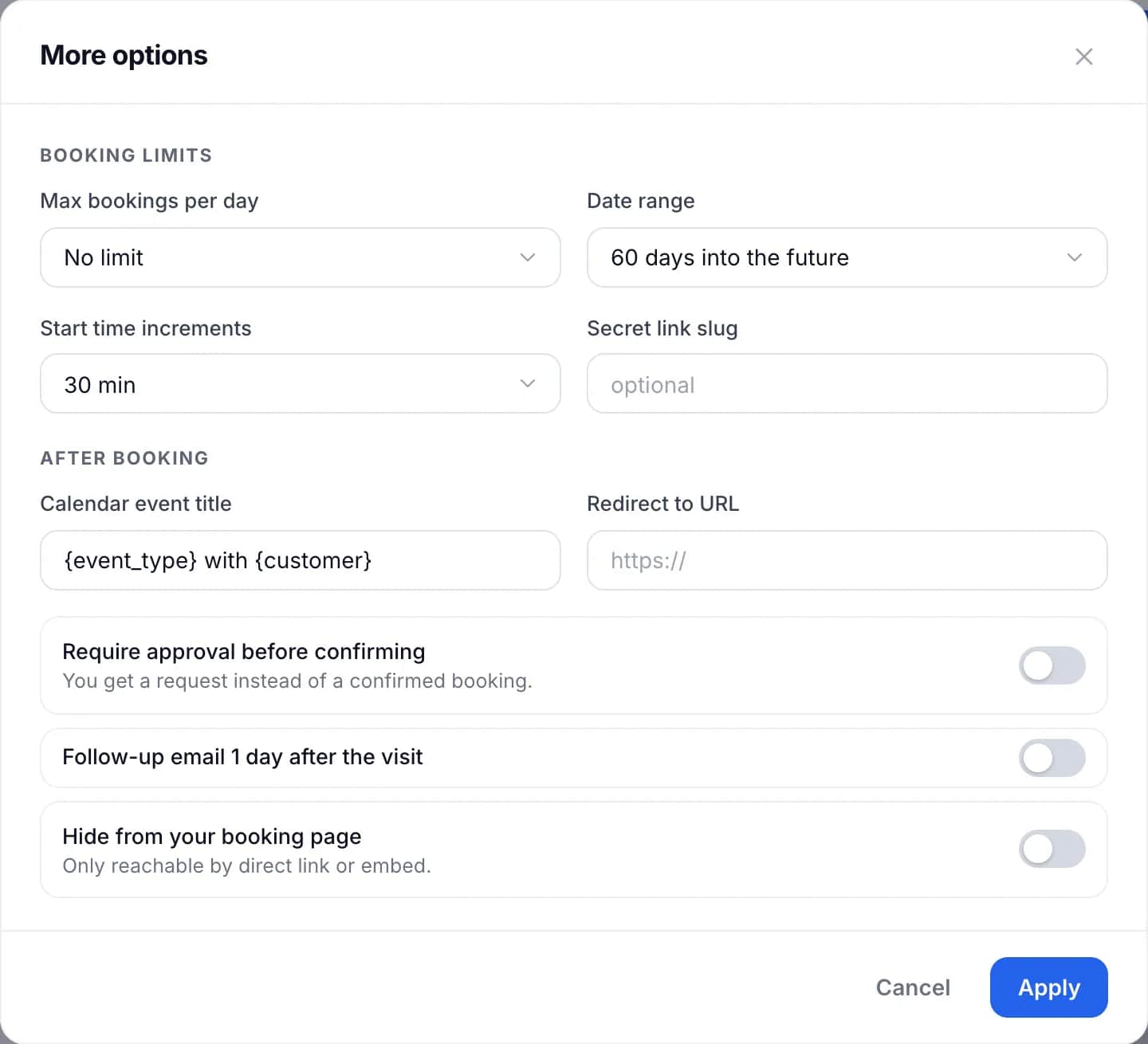
A minimum notice stops someone booking a visit for an hour from now. A day is the usual setting. Shorten it to a few hours only for a job you can genuinely do at short notice, and only if someone is watching for new bookings.
3. How far ahead
A booking six months out is a booking that will be moved. Limit the range to what you can plan, which for most trades is four to eight weeks. A shorter range also keeps your prices and hours from being promised further ahead than you know them.
4. How many a day
A daily cap on one job type keeps a day from filling with estimates, which earn nothing until they convert, and leaving no room for paid work.
5. Which times
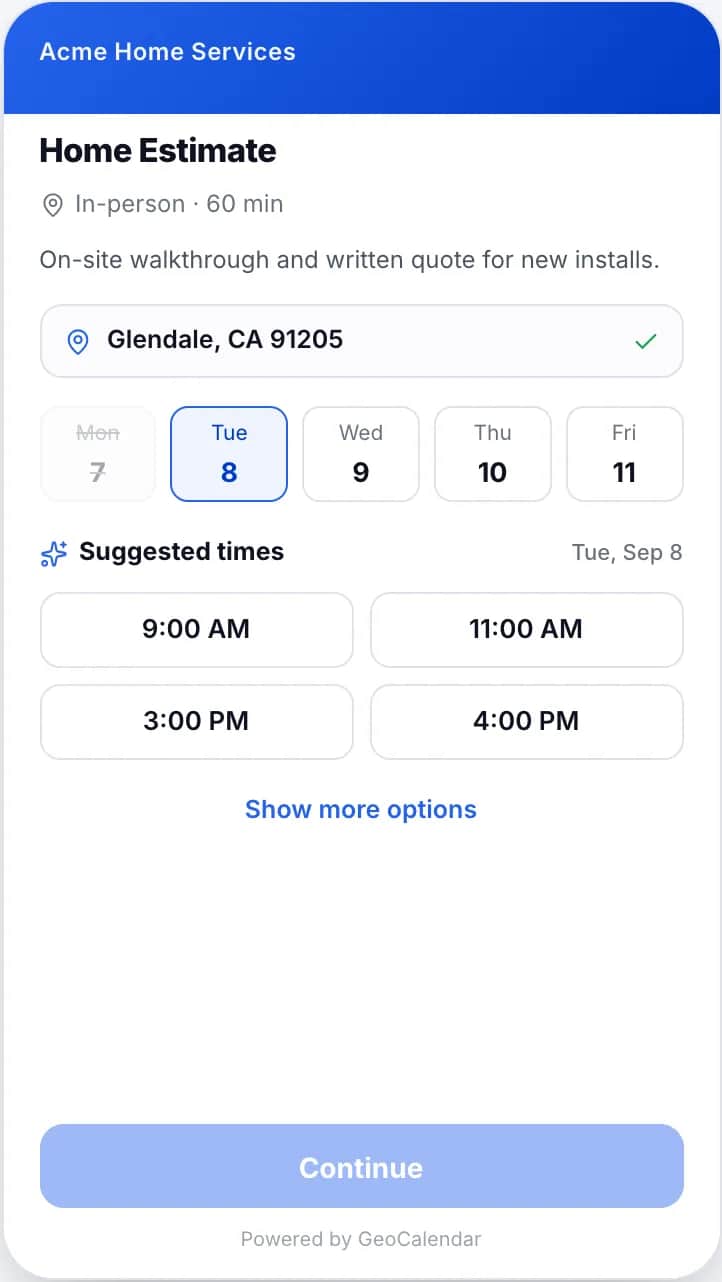
This is the decision that matters most for a business that travels, and it has two parts. The start times you offer, on the hour or every half hour, decide how tightly the day can pack. And the order you offer them in decides where the customer lands. A page that lists every open time as equal leaves that to chance. A page that knows the customer’s address can put the times near your other visits first.
6. What to ask
Every question on the form costs you some bookings, so ask only what changes what you do. The address is essential. After that, the useful questions are the ones that prevent a wasted trip: is there a gate code, is anyone home, is there a pet, where can the van park. Anything else can wait until you arrive.
7. Whether to approve each booking
Approval means the customer sends a request and you confirm it. It gives you a look at the address and the job before you commit, at the cost of a slower answer for the customer. Use it for the jobs where a bad fit is expensive, and leave it off for the routine ones.
The settings, and what each protects
| Setting | Protects against |
|---|---|
| Bookable job types | Bookings you have to call back and change |
| Minimum notice | A visit you cannot reach in time |
| Date range | Bookings too far ahead to plan |
| Daily cap | A day of estimates and no paid work |
| Suggested times | A long drive between two visits |
| Service area | An address you would never drive to |
| Approval | A job that does not fit |
Start narrow
Publish one job type, with a day’s notice and a daily cap, and watch a month of bookings. Widening a setting later is easy. Taking back a freedom customers have got used to is not. If you are choosing the area as well, How to set a service area covers where to draw it.
Common questions
Should every service be bookable online?
No. Put online the jobs with a known length and price. Keep emergencies and jobs that need a conversation on the phone.
What is minimum notice in online booking?
The shortest time allowed between a booking being made and the appointment starting. A day is the usual setting for in-person work.
Should I approve bookings manually?
Only for jobs where a bad fit is expensive. Approval lets you check the address and the job first, but the customer waits longer for a confirmed time.