 GeoCalendar
The short version
Choose appointment schedules if
- One booking page for calls or meetings is all you need.
- You want it inside Google Calendar, with no other account.
- You want to take payment at booking and have an eligible Google plan.
Choose GeoCalendar if
- Customers book visits at their own address, several a day.
- You want the times offered to depend on where your other visits are.
- Part of your team uses Outlook.
The difference in one sentence
Both let a customer pick a time that lands on your Google Calendar. An appointment schedule offers the times you are free, with a gap between appointments if you set one. GeoCalendar asks where the customer is, and offers the free times that add the least driving to the day already on that calendar.
Feature by feature
| Appointment schedules | GeoCalendar | |
|---|---|---|
| Booking page and website embed | Yes: a link, a button or an inline page | Yes |
| Calendars it checks | Google Calendar | Google Calendar and Outlook |
| Video links | Google Meet | Zoom and Google Meet |
| In-person appointments | Yes, as a meeting option | Yes, at the customer’s address |
| Customer enters their address | You can add your own fields to the booking form | Yes, and the times offered depend on it |
| Travel time between bookings | A buffer time between appointments | Estimated for each leg from the two addresses |
| Times offered by location | Nothing in Google’s help pages describes it | Open times ranked by the driving each would add |
| Limit on bookings per day | Yes | Yes |
| Team scheduling | Up to 20 co-hosts, on Business Standard and above | Co-hosts and rotating pools, on the Team plan |
| Payments at booking | Through Stripe, on eligible paid plans | No |
| Without paying | One booking page with a personal Google account | A 14-day trial of the Team plan, no card |
Where appointment schedules are the better tool
They are already there. Google’s own description is a booking page set up directly in Calendar, with no other apps, extensions or downloads, and a personal Google account gets one booking page at no charge. For someone who takes calls, or sees clients in one place, there is nothing to add and nothing to learn.
On eligible paid Google plans they also take payment through Stripe, send up to five reminder emails, check several calendars and verify the email address of people who book. GeoCalendar takes no payments.
Where GeoCalendar is the better tool
An appointment schedule has a buffer time: a fixed gap between appointments. It has a maximum number of bookings a day and a minimum notice. Google’s help pages describe nothing that looks at where an appointment is. So a customer on the far side of town is offered the same times as one around the corner from your last job. How to add travel time in Google Calendar, Outlook and Apple Calendar covers what the calendar itself can do.
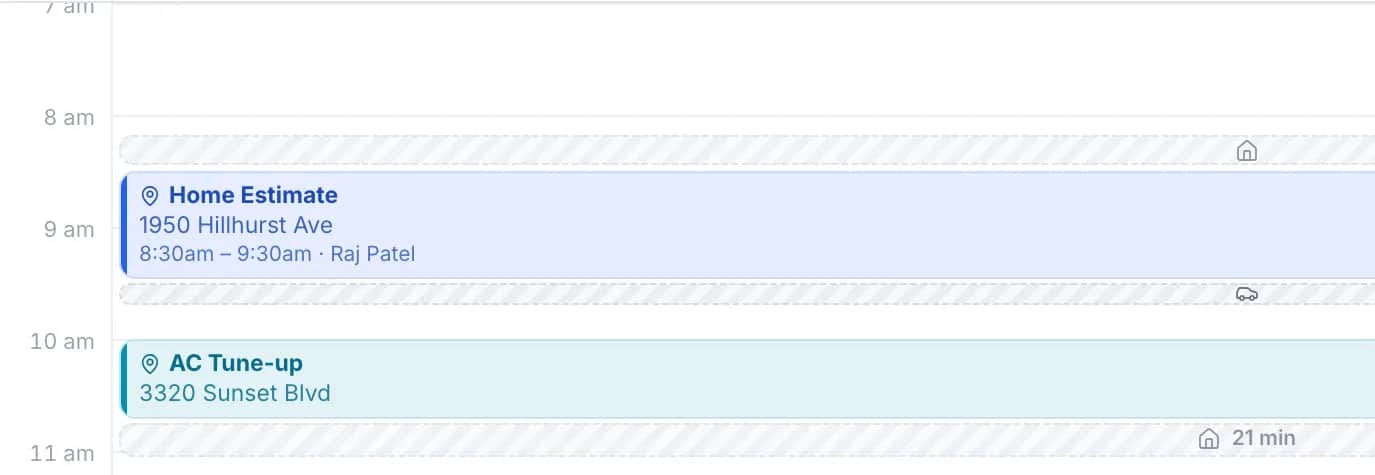
GeoCalendar reads the same Google Calendar and starts from the address. For each open time it finds the visit before and the visit after, estimates the drive in and the drive out, and subtracts the drive you would have made anyway. The times that add the least are offered first, and every other open time stays available.
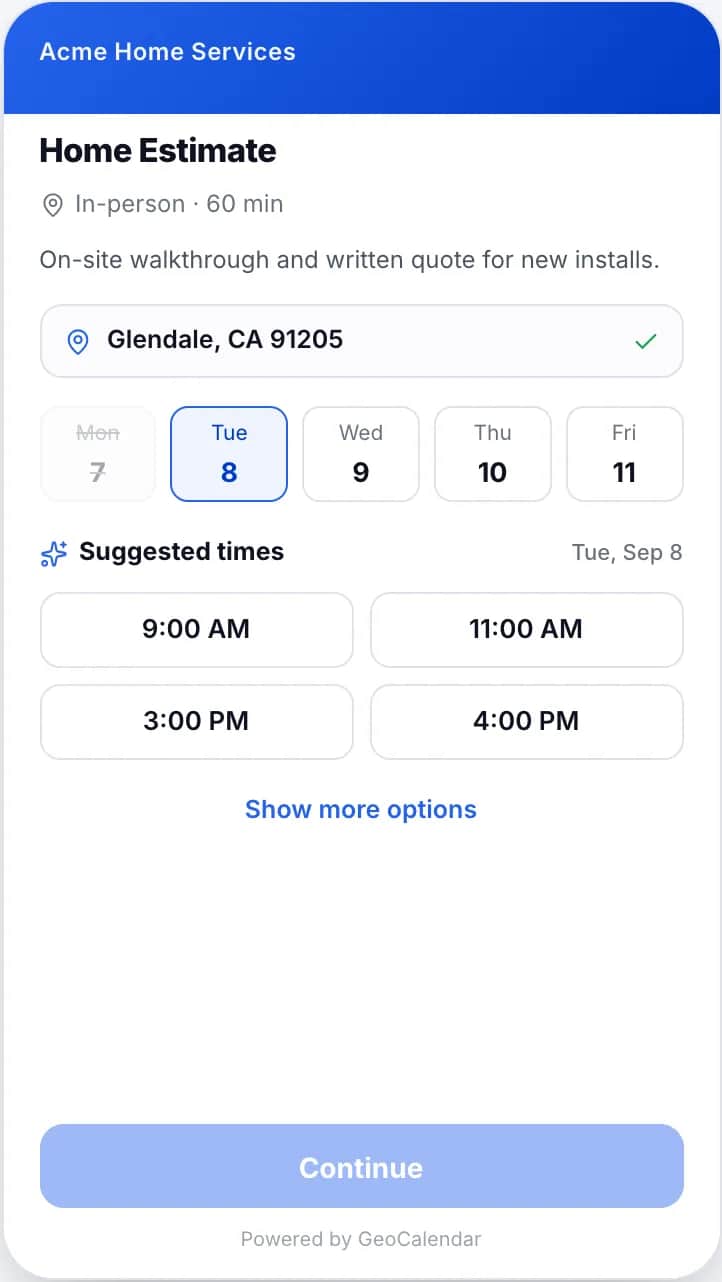
- A service area turns away addresses you would never drive to, before they book.
- The drive is blocked on your calendar with the visit, so the next booking accounts for it.
- With several hosts, each person’s own calendar is checked and each time is offered for whoever is nearest. Google notes that an appointment schedule does not check a co-host’s availability by default.
The limits: drive times are typical-traffic estimates and not live traffic, and the customer can still choose a time that was not suggested.
Using both
There is nothing to move. GeoCalendar connects to the Google Calendar you already use, so you can keep an appointment schedule for calls and send customers GeoCalendar’s link for visits. Each booking lands on the same calendar and blocks that time for the other. Visits already on the calendar count toward the ranking as long as each has an address in its location field.
Common questions
Does Google Calendar add travel time between appointments?
An appointment schedule has a buffer time, a fixed gap between appointments. On November 11, 2026 Google’s help pages described nothing that estimates the drive between two addresses.
Are Google Calendar appointment schedules free?
A personal Google account can create a single booking page at no charge. More booking pages, reminders, payments and co-hosts need an eligible Google Workspace or Google One plan.
Does GeoCalendar replace my Google Calendar?
No. It connects to it. Busy times on your Google Calendar block booking, and every new booking is written back to it.
Sources
- Google Calendar Help: Learn about appointment schedules
- Google Calendar Help: Create an appointment schedule
- Google Calendar Help: Share your appointment schedule
- Google Calendar Help: Compare premium features for appointment schedules
- Google Calendar Help: Require payments for appointments
- Google Workspace: Calendar
This page is written by GeoCalendar. What it says about Google Calendar comes from Google’s own help center and Workspace pages, read on November 11, 2026. If something here is out of date, tell us and we will correct it.
Google Calendar, Google Meet and Google Workspace are trademarks of Google LLC. GeoCalendar is not affiliated with Google.