 GeoCalendar
The short version
Choose Setmore if
- Customers come to you, or you run classes.
- You want a free plan for a small team, or payment at booking.
- You want reminders by text message.
Choose GeoCalendar if
- You go to the customer, several visits a day.
- Where a visit falls in the day changes how much you drive.
- You want each drive blocked on your calendar without working it out yourself.
The difference in one sentence
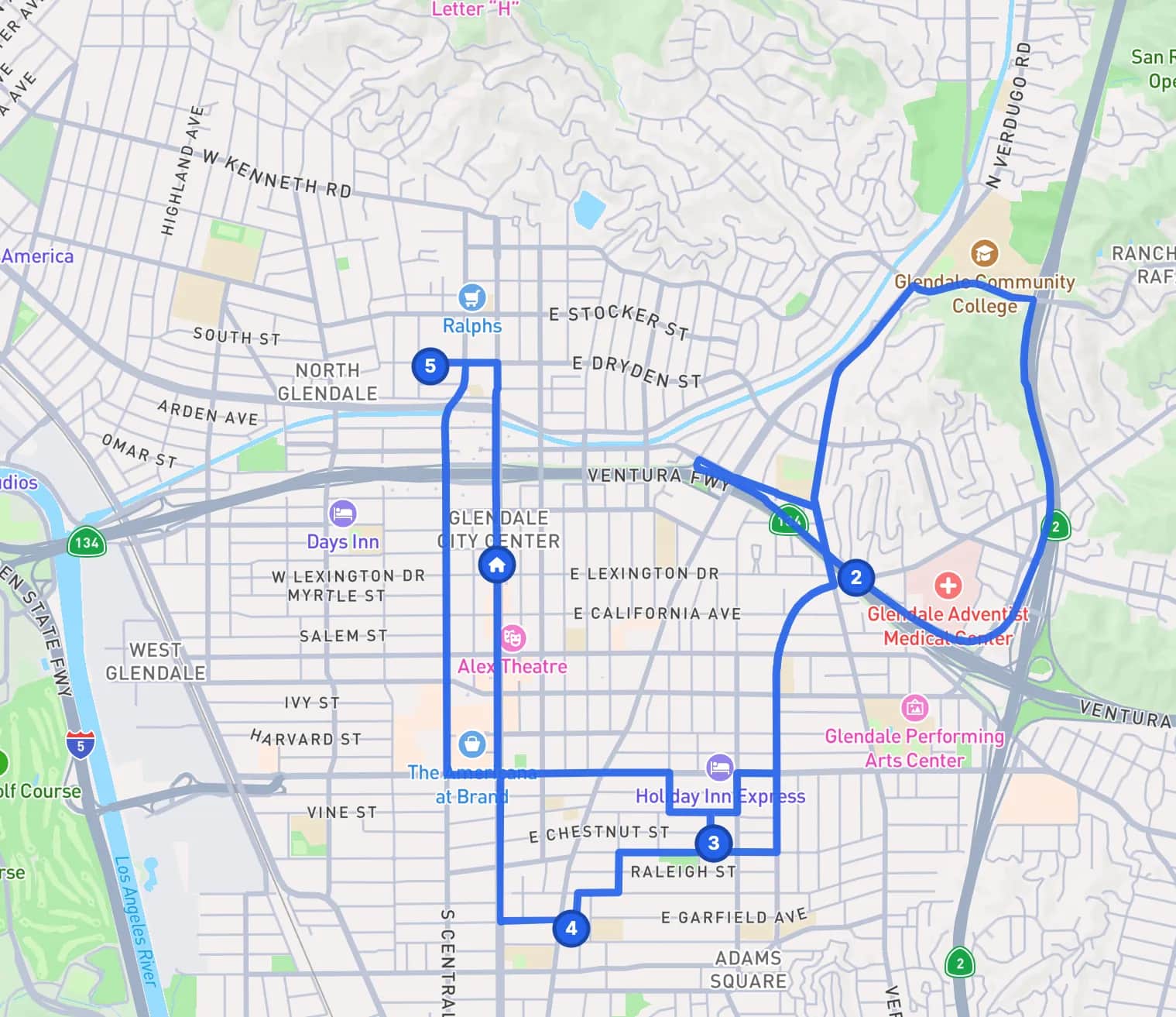
Both give your customers a page to book from. Setmore offers the times a staff member is free, with a buffer added to the service if you set one. GeoCalendar asks for the customer’s address and offers the free times that add the least driving.
Feature by feature
| Setmore | GeoCalendar | |
|---|---|---|
| Booking page and website embed | Yes | Yes |
| Google and Outlook calendar sync | One-way on Free, two-way on Pro | Two-way on every plan |
| Zoom and Google Meet links | On Pro | Yes |
| Customer enters their address | You can add your own fields to the booking form | Yes, and the times offered depend on it |
| Travel time between bookings | A buffer added to each service | Estimated for each leg from the two addresses |
| Times offered by location | Nothing in its help center describes it | Open times ranked by the driving each would add |
| Team | A calendar and a booking link for each staff member | Co-hosts and rotating pools, on the Team plan |
| Payments at booking | Square, Stripe and PayPal | No |
| Classes and group bookings | Yes | No |
| Text-message reminders | On Pro | No. Reminders go by email |
| Free plan | Yes, for up to four users | No. A 14-day trial of the Team plan, no card |
| Paid plans from | $5 per user a month, billed annually | $15 a month, billed annually |
Where Setmore is the better tool
Setmore gives away a great deal. Its pricing page lists a free plan for up to four users, with a booking page, email reminders, payments through Square, Stripe or PayPal, and class bookings. Pro adds two-way calendar sync, video links and text-message reminders for $5 a user. It has apps for phones and for the desktop.
GeoCalendar has no free plan, takes no payments, runs no classes and sends no text messages. If customers come to you, Setmore does more for less.
Where GeoCalendar is the better tool
Setmore has pages for plumbers, cleaners and field services, so it is used by businesses that travel. What it offers them for the travel is a buffer: its help center describes adding buffer time to a service’s length, and one of its own guides says to leave a buffer for travel. A buffer is the same length for a job next door and a job across town.
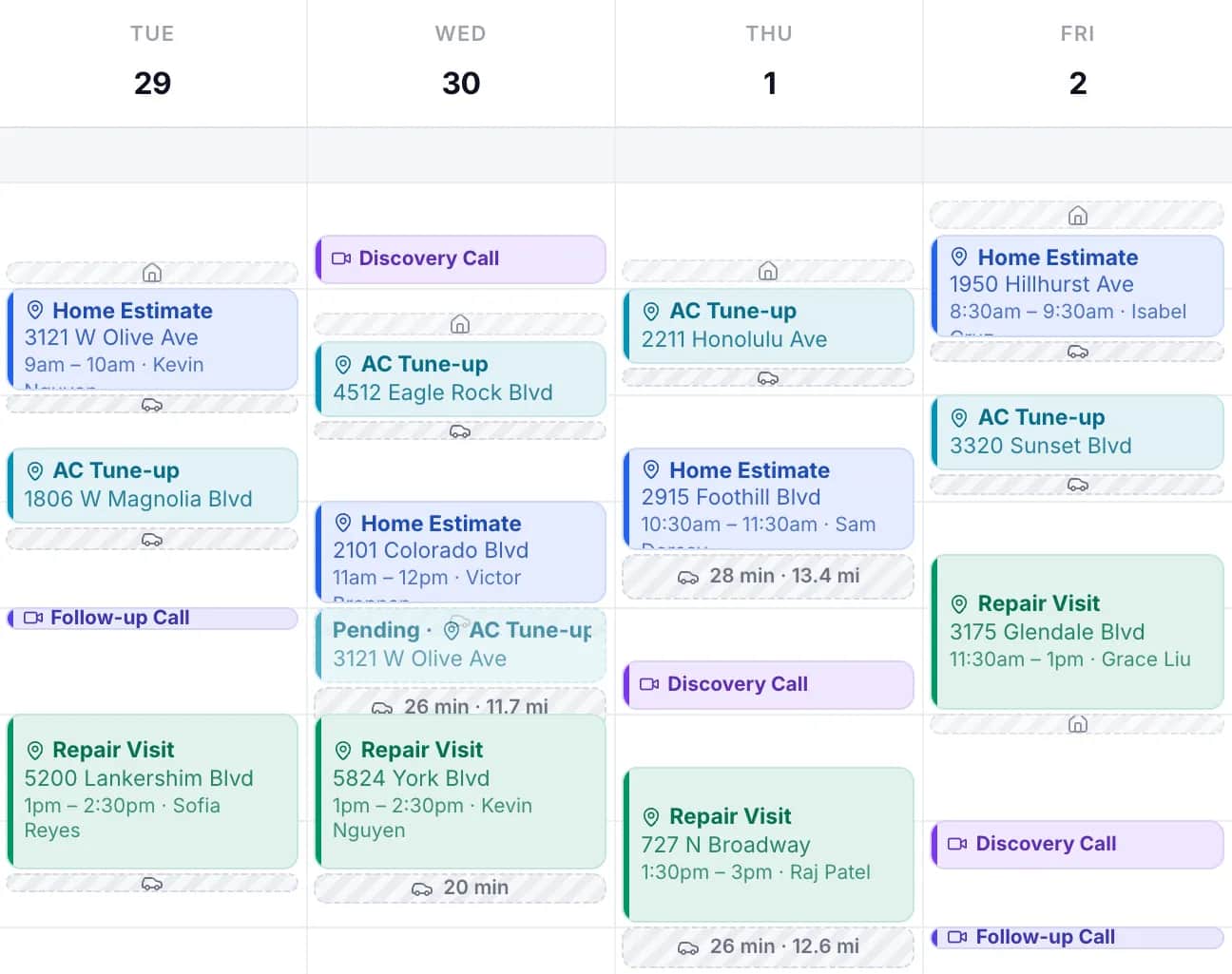
GeoCalendar starts from the address. For each open time it finds the visit before and the visit after, estimates the drive in and the drive out, and subtracts the drive you would have made anyway. The times that add the least are offered first. The others stay available.
- A service area turns away addresses you would never drive to, before they book.
- The drive is blocked on your calendar as its own strip, so the next booking accounts for it.
- With several hosts, each time is offered for whoever could reach it with the least driving.
The limits: drive times are typical-traffic estimates and not live traffic, and the customer can still choose a time that was not suggested.
Using both
If part of your work happens at your premises and part at the customer’s, the two can share a calendar. On Setmore’s Pro plan the sync with Google Calendar or Office 365 runs both ways, so a visit booked through GeoCalendar shows as busy time in Setmore, and the other way round.
Common questions
Does Setmore calculate travel time between appointments?
Setmore’s help center describes buffer time added to a service’s length. On November 11, 2026 it described no feature that estimates the drive between two addresses.
Is Setmore free?
Its pricing page lists a free plan for up to four users. The Pro plan was $5 per user a month, billed annually, on November 11, 2026. GeoCalendar has no free plan; it has a 14-day trial with no card.
Can I use Setmore and GeoCalendar together?
Yes, with Setmore’s two-way calendar sync, which is on its Pro plan. Both then read and write the same Google or Outlook calendar.
Sources
- Setmore: Pricing
- Setmore Help: Add buffer time between appointments
- Setmore Help: Customer contact fields
- Setmore: Google Calendar sync
- Setmore: Zoom integration
- Setmore: Text reminders
- Setmore: Field services
- Setmore guide: How to protect your time
This page is written by GeoCalendar. What it says about Setmore comes from Setmore’s own pricing page, feature pages and help center, read on November 11, 2026. If something here is out of date, tell us and we will correct it.
Setmore is a trademark of its owner. GeoCalendar is not affiliated with Setmore.