 GeoCalendar
The short version
Choose ServiceTitan if
- You want call booking, dispatch, invoicing, marketing and payroll on one platform.
- You have dispatchers, and want drive time weighed when jobs are assigned.
- You already use ServiceTitan. It has online booking of its own: use it.
Choose GeoCalendar if
- You are a few people, and your schedule is a Google or Outlook calendar.
- You want customers to book themselves, at times that keep the day tight.
- You want to know the price before you talk to anyone.
First, the honest part
These are not two versions of the same thing. ServiceTitan is a platform for running a trades company: its pricing page lists dispatching, scheduling, call booking, invoicing, a pricebook, estimates, payroll, reporting and memberships. GeoCalendar is a booking page and a calendar.
ServiceTitan also takes location seriously. Its online booking product, Scheduling Pro, matches the customer’s ZIP code to a zone to decide what is available, and its Dispatch Pro weighs each technician’s location and drive time when it assigns a job. If your company runs on ServiceTitan, those are the tools to use. This page is for the business that is nowhere near needing a platform.
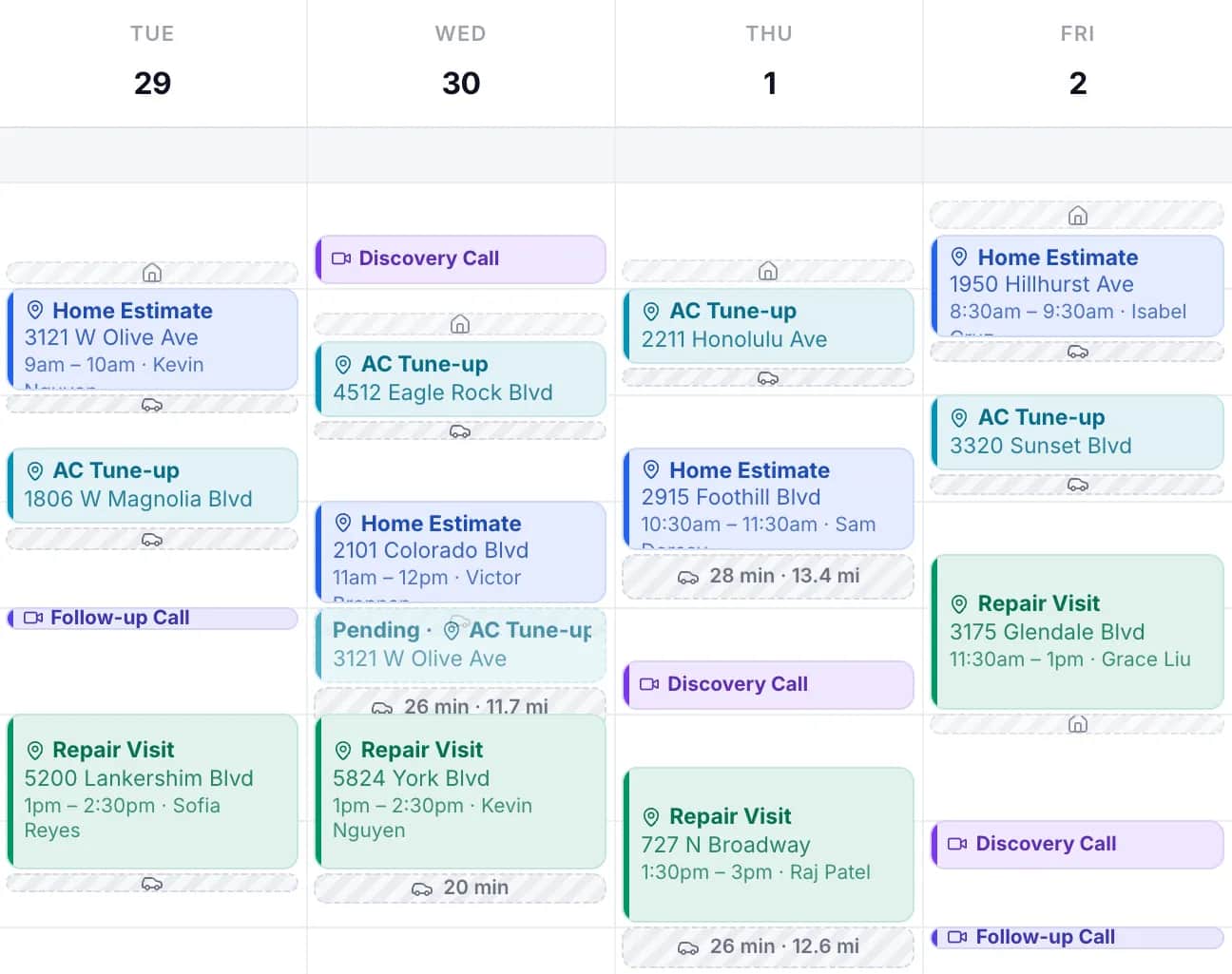
Feature by feature
| ServiceTitan | GeoCalendar | |
|---|---|---|
| What it is | A platform for trades contractors: call booking, dispatch, pricebook, invoicing, marketing, payroll | A booking page and a calendar |
| Online booking for customers | Scheduling Pro, an add-on with a free tier | On every plan, and in the trial |
| How online times are chosen | From the dispatch board, with zones, arrival windows and capacity rules | Open times ranked by the driving each would add |
| How it uses where the customer is | The ZIP code is matched to a zone | The address: each open time is priced by the drive from the visits around it |
| Drive time when jobs are assigned | Dispatch Pro weighs location and drive time, and can cap the drive between jobs. A separate subscription | No dispatch. The drive is settled when the visit is booked |
| Arrival windows | Yes | No. Exact start times |
| Calendar sync | Jobs can be sent to Google Calendar through Zapier, one way | Two-way with Google Calendar and Outlook |
| Call booking, pricebook, invoicing, payroll | Yes | No |
| Price | Per technician, on request | From $15 a month, billed annually |
Where ServiceTitan is the better tool
Almost everywhere, if you need what it does. It shows who is calling before the phone is picked up, runs a dispatch board, prices jobs from a pricebook, invoices and takes payment, ties marketing spend to revenue, and handles payroll and commissions. Its online booking shows availability from the dispatch board and follows the job types, zones and capacity rules the office already uses, with arrival windows. With Dispatch Pro, assignment takes skills, location and drive time into account. GeoCalendar does one of those things.
Where GeoCalendar fits
A platform is a commitment. ServiceTitan’s own page for smaller businesses describes a four-week onboarding program, and its price is quoted per technician on request. A two-person company whose week sits in Google Calendar usually has one problem, not twelve: customers book themselves into times that send someone across town.
GeoCalendar fixes that one. It reads the calendar you already have, asks each customer for their address, and offers the open times that add the least driving, to the street and not only to the zone. Two addresses in the same ZIP code can be a long drive apart, and they are ranked differently.
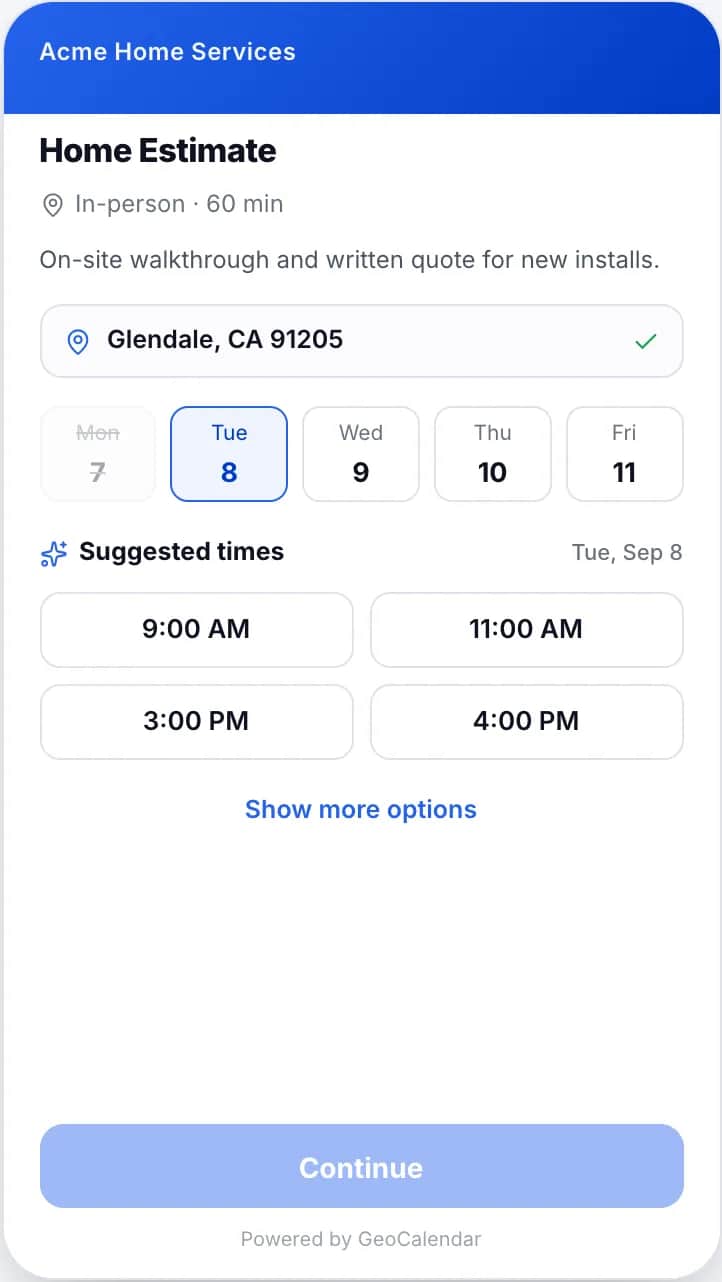
The price is on the page: $15 a month for one person or $24 a user for a team, billed annually, after a 14-day trial with no card.
Can you use both?
No. GeoCalendar has no connection to ServiceTitan, so a visit booked in one would not appear as a job in the other. If you are on ServiceTitan, use Scheduling Pro. GeoCalendar is for businesses whose schedule lives in a calendar.
Common questions
Does ServiceTitan have online booking?
Yes. Its online booking product is Scheduling Pro, which its help center describes as a Pro add-on with a free tier. It shows availability from the dispatch board and matches the customer’s ZIP code to a zone.
How much does ServiceTitan cost?
ServiceTitan does not publish prices. Its pricing page says pricing is per technician and each plan is quoted on request.
Is GeoCalendar a replacement for ServiceTitan?
No. ServiceTitan runs calls, dispatch, invoicing and payroll. GeoCalendar is a booking page that ranks open times by the driving they add, for teams that keep their schedule in Google Calendar or Outlook.
Sources
- ServiceTitan: Pricing
- ServiceTitan: Scheduling Pro
- ServiceTitan Help: Scheduling Pro
- ServiceTitan Help: Set up your online scheduler in ServiceTitan Max
- ServiceTitan: Dispatch Pro
- ServiceTitan Help: Dispatch Pro
- ServiceTitan Help: Zapier integration
- ServiceTitan: Software for small and midsize businesses
- ServiceTitan: Call booking
This page is written by GeoCalendar. What it says about ServiceTitan comes from ServiceTitan’s own pricing page, feature pages and help center, read on November 11, 2026. If something here is out of date, tell us and we will correct it.
ServiceTitan is a trademark of its owner. GeoCalendar is not affiliated with ServiceTitan.