 GeoCalendar
The short version
Choose Microsoft Bookings if
- You already pay for a Microsoft 365 plan that includes it.
- Customers come to you, or you meet them on Teams.
- You want text-message reminders and have Teams Premium.
Choose GeoCalendar if
- Your staff drive to the customer, several visits a day.
- You want each booking given to someone who is already nearby, not to whoever is free.
- Some of your team keep their week in Google Calendar.
The difference in one sentence
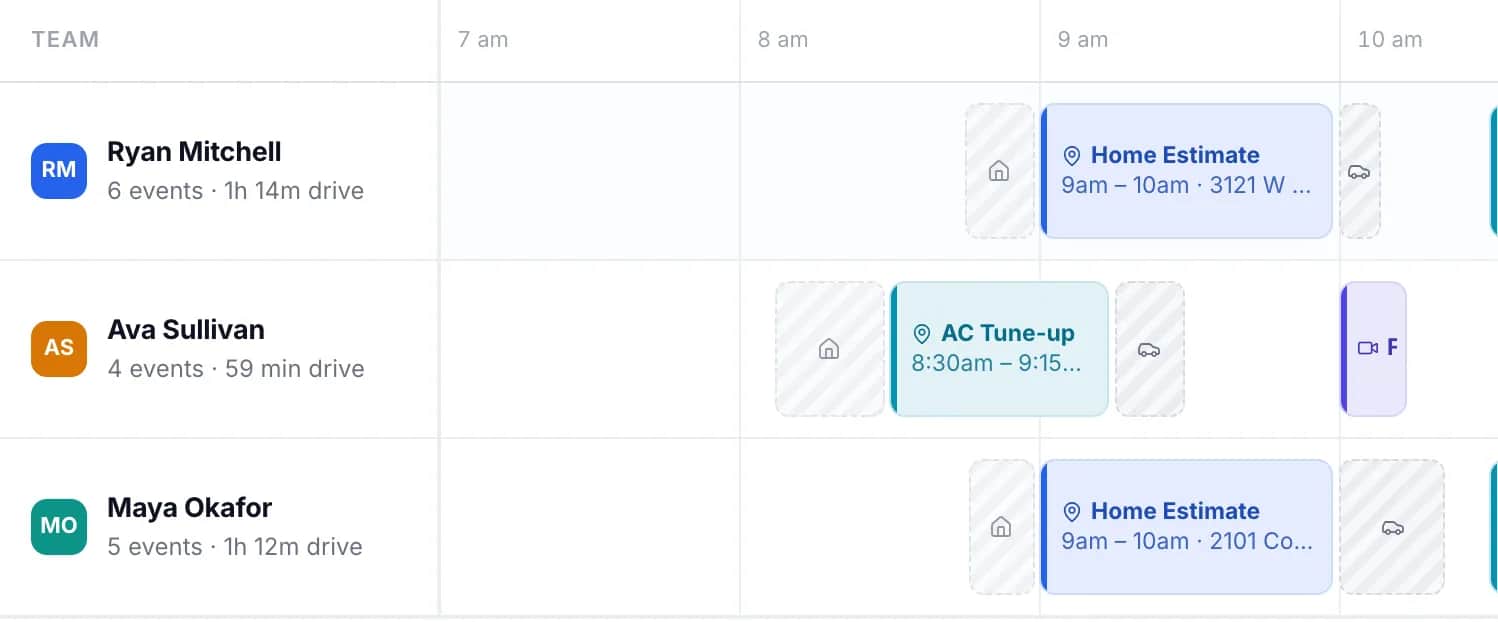
Both put a booking page in front of your customers and write the appointment to a calendar. Bookings decides which times to offer from who is free. GeoCalendar decides from who is free and where each of them will be.
Feature by feature
| Microsoft Bookings | GeoCalendar | |
|---|---|---|
| Booking page and website embed | Yes | Yes |
| Calendars it reads | Microsoft 365 and Outlook | Outlook and Google Calendar |
| Online meetings | Microsoft Teams | Zoom and Google Meet |
| Customer enters their address | Yes, a field on the booking form | Yes, and the times offered depend on it |
| Travel time between bookings | A buffer time you set on each service | Estimated for each leg from the two addresses |
| Times offered by location | Nothing in Microsoft’s documentation describes it | Open times ranked by the driving each would add |
| Who gets the booking | The staff member the customer picks, or one chosen at random from those free | A host the drive was worked out for, then your order or rotation |
| Payments at booking | No | No |
| Text-message reminders | Yes, with a Teams Premium license | No. Reminders go by email |
| Sold on its own | No. It is part of Microsoft 365 | Yes |
| Price | Included with Microsoft 365 Business Basic with Teams, $7 per user a month, paid yearly | From $15 a month, billed annually |
Where Microsoft Bookings is the better tool
If your business runs on Microsoft 365, Bookings is already paid for. It works inside Teams and Outlook, reads your staff’s Microsoft 365 calendars, and creates a Teams meeting for an online appointment. An administrator controls it with the rest of the tenant, and the compliance policies you have for Exchange apply to its mailboxes. With Teams Premium it sends reminders by text message.
For a salon, a bank branch or a consultancy that meets clients on Teams, that is the whole job, and GeoCalendar adds nothing to it.
Where GeoCalendar is the better tool
For the drive between appointments, Microsoft’s documentation points to buffer time: extra minutes added to the calendar around every booking of a service, which it says can be useful “when someone needs time to travel to another location.” A buffer is one length for every pair of addresses. Set it for the longest drive and every short one wastes time. Set it for the average and the long ones run late.
GeoCalendar asks for the customer’s address first and estimates each drive from it. For every open time it works out what the booking would add to that person’s day, and offers the times that add the least. When several people could take the visit, it is offered for whoever is nearest at that hour, where Bookings, by its own FAQ, assigns staff at random from those available.
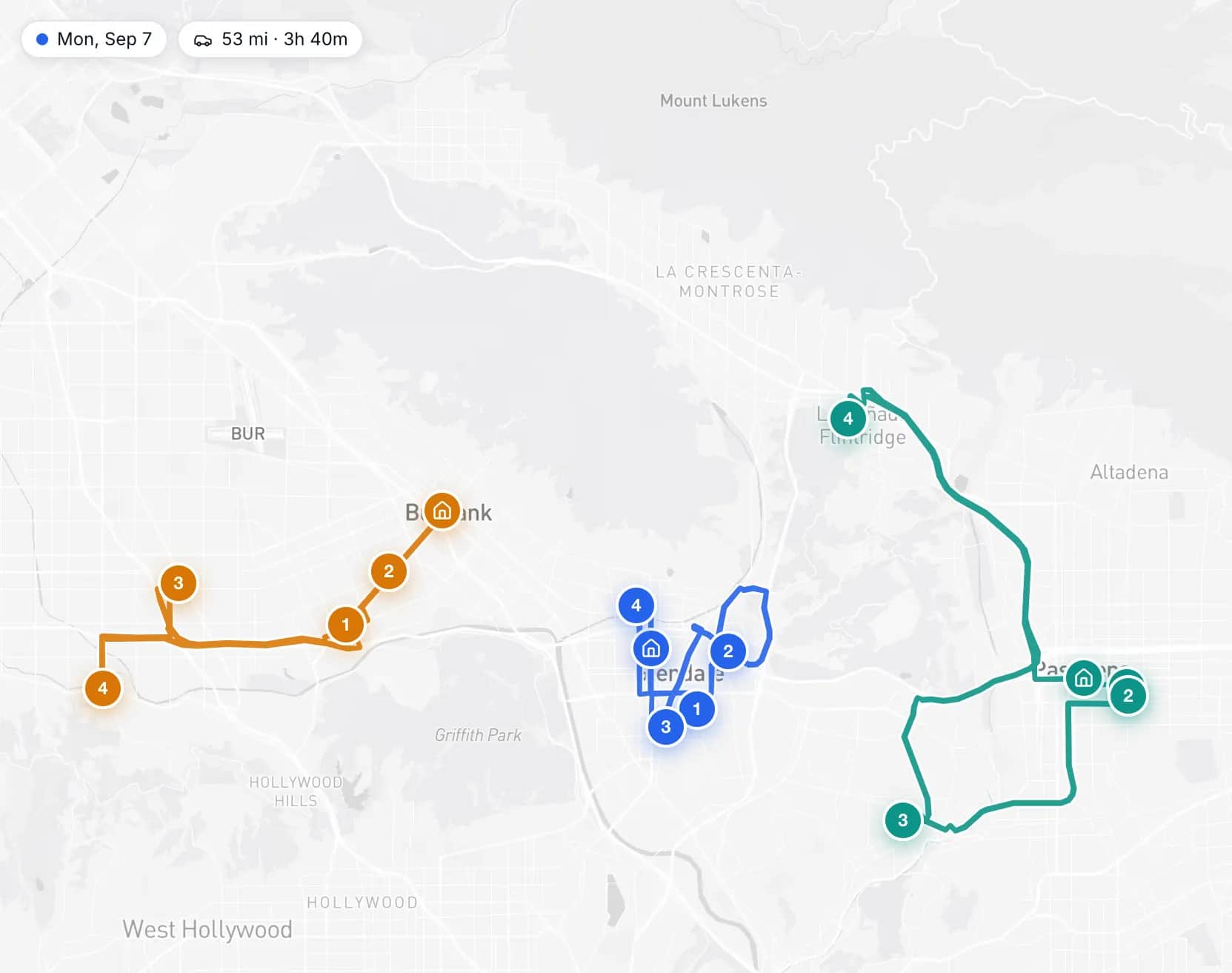
- A service area, measured from each person’s home base, turns away addresses nobody would drive to.
- The drive is blocked on the calendar with the visit, so the next booking accounts for it.
- It reads Google Calendar as well as Outlook, for teams that are not all on Microsoft 365.
The limits: drive times are typical-traffic estimates and not live traffic, there are no text-message reminders, and it creates Zoom and Google Meet links, not Teams ones.
Using both
Both read the same Outlook calendar, so they can sit side by side: Bookings for appointments at your office or on Teams, GeoCalendar for the visits someone drives to. A visit booked through GeoCalendar is written to that person’s Outlook calendar, where Bookings sees it as busy time.
Common questions
Does Microsoft Bookings calculate travel time between appointments?
Microsoft documents a buffer time on each service and says it can be used when staff need time to travel. On November 11, 2026 its documentation described no feature that estimates the drive between two addresses.
Is Microsoft Bookings free?
It is not sold on its own. Microsoft lists it as included in Microsoft 365 plans such as Business Basic, Business Standard and Business Premium, so there is no extra charge if you have one of those.
Does GeoCalendar work with Outlook?
Yes. It syncs both ways with Microsoft 365 and Outlook.com calendars: busy times block booking, and new bookings appear on the calendar.
Sources
- Microsoft Learn: Microsoft Bookings
- Microsoft Learn: Shared Bookings frequently asked questions
- Microsoft Learn: Define your services in Shared Bookings
- Microsoft Learn: Add team members to Bookings
- Microsoft Learn: Configure service availability
- Microsoft 365 pricing for business: plans with Teams
This page is written by GeoCalendar. What it says about Microsoft Bookings comes from Microsoft Learn and Microsoft’s own pricing pages, read on November 11, 2026. If something here is out of date, tell us and we will correct it.
Microsoft, Microsoft 365, Outlook and Teams are trademarks of the Microsoft group of companies. GeoCalendar is not affiliated with Microsoft.