 GeoCalendar
The short version
Choose Workiz if
- You want scheduling, dispatch, estimates, invoices and payments in one system.
- Most jobs are booked by your office, by phone.
- You already use Workiz. Its Genius Scheduling suggests slots near your other jobs: use it.
Choose GeoCalendar if
- You are happy with how you quote and invoice, and only booking is the problem.
- Your work lives in Google Calendar or Outlook.
- Customers book themselves, and you want the times they see ranked by the drive.
First, the honest part
Workiz knows that location matters. Its Genius Scheduling, on the Pro and Ultimate plans, suggests the best time slots for a new job from how close it is to the other jobs already on the calendar. That is for whoever in your office creates the job. If your office books most of your work and you run on Workiz, you have this already.
What follows is for two other cases: the business that does not want a whole system to fix one problem, and the booking a customer makes on their own.
Feature by feature
| Workiz | GeoCalendar | |
|---|---|---|
| What it is | A field service suite: scheduling, dispatch, estimates, invoices, payments and more | A booking page and a calendar |
| Online booking for customers | On every plan | On every plan, and in the trial |
| How online times are chosen | Business hours, notice, slot length and who is free | The same, plus the drive each time would add |
| Customer’s address in online booking | Nothing in its help center describes times chosen by it | Open times are ranked by it |
| When your office books the job | Genius Scheduling suggests slots near other jobs, on Pro and Ultimate | Best times lists the open times that add the least driving |
| Service areas | By ZIP radius, city or county, or a drawn boundary | A distance or a drive time from each host’s home base |
| Google Calendar | One-way, from Workiz to the calendar | Two-way |
| Estimates, invoices and payments | Yes | No |
| Phone system and call answering | Yes, sold separately | No |
| Free plan | No. A 7-day trial | No. A 14-day trial of the Team plan, no card |
| Price | On request. Plans are annual contracts | From $15 a month, billed annually |
Where Workiz is the better tool
Workiz does far more than booking. It schedules and dispatches jobs, writes estimates and invoices, takes payment by card, ACH or financing, and tracks inventory. It draws service areas by ZIP code, by city or as a shape on a map. It has a phone system and an answering service that books the calls you miss, both sold separately, and automations for reminders and follow-ups. GeoCalendar does none of that and is not trying to.
Where GeoCalendar is the better tool
GeoCalendar is one piece, and it fits beside what you have. It reads your Google or Outlook calendar and writes bookings back to it, both ways, so nothing has to be moved into a new system. Workiz’s own help center says its calendar sync runs in one direction, from Workiz out.
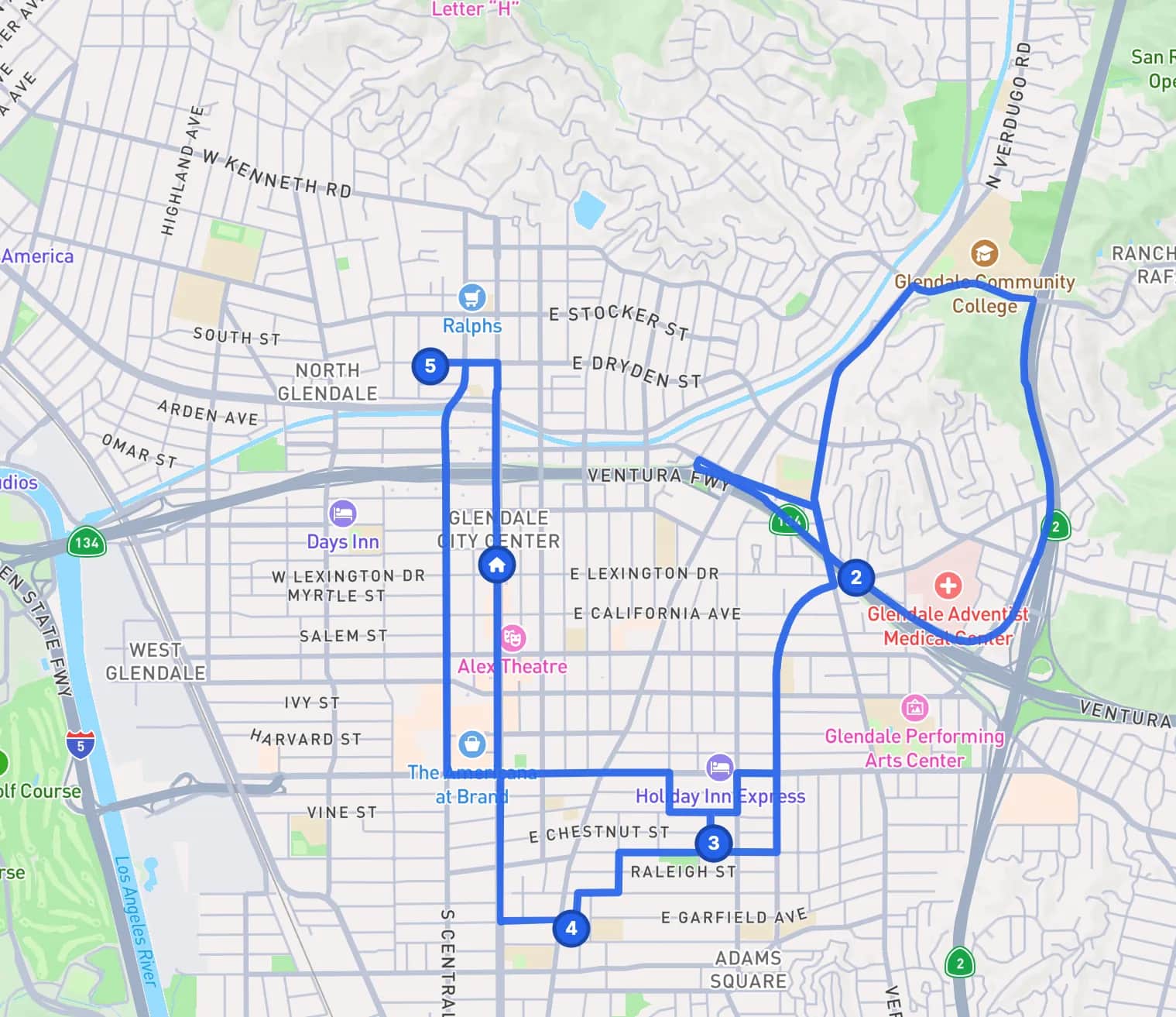
It also brings location to the booking a customer makes without you. Workiz’s help center describes online times chosen from business hours, notice, slot length and technician availability. GeoCalendar asks for the address first, then works out for each open time the minutes that booking would add to the day, and offers the cheapest few first.
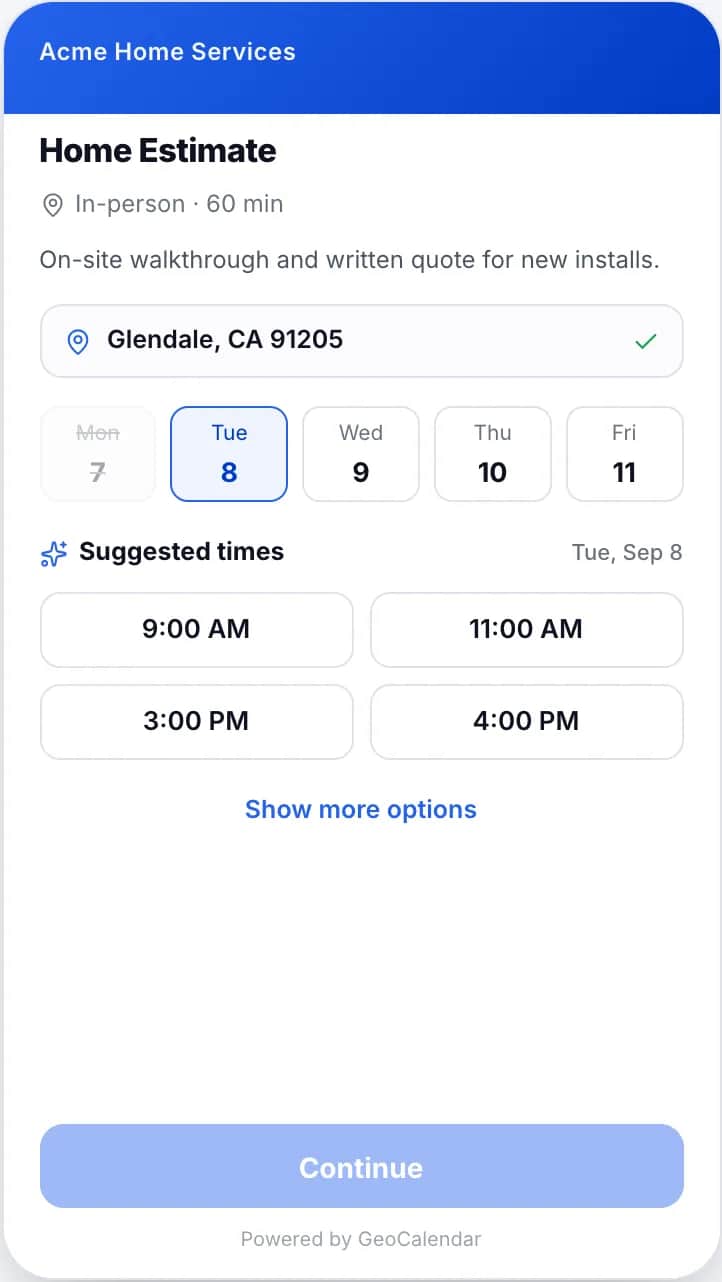
And the price is on the page: $15 a month for one person or $24 a user for a team, billed annually, after a 14-day trial with no card.
Can you use both?
Not usefully. GeoCalendar has no connection to Workiz, so a visit booked in one would not appear as a job in the other. If you are on Workiz, use Workiz’s booking and its Genius Scheduling. GeoCalendar is for businesses whose schedule lives in a calendar.
Common questions
Does Workiz take location into account when scheduling?
For jobs your office creates, yes: its Genius Scheduling, on the Pro and Ultimate plans, suggests time slots near the other jobs on your calendar. On November 11, 2026 its help center did not describe the customer-facing online booking choosing times by address.
How much does Workiz cost?
Workiz does not publish prices. Its pricing page lists three plans, each on request, and its billing FAQ says plans are bought on annual contracts.
Should I switch from Workiz to GeoCalendar?
Probably not. If Workiz runs your jobs and invoices, GeoCalendar does not replace it. GeoCalendar suits businesses that keep their schedule in Google Calendar or Outlook and do not want a full suite.
Sources
- Workiz: Pricing
- Workiz: Online booking
- Workiz Help: Customizing your booking portal
- Workiz Help: Optimizing your calendar with Genius Scheduling
- Workiz Help: How to manage multiple service areas
- Workiz Help: Syncing your Workiz schedule with your personal calendar
- Workiz Help: Billing FAQ
- Workiz: Phone system
This page is written by GeoCalendar. What it says about Workiz comes from Workiz’s own pricing page, feature pages and help center, read on November 11, 2026. If something here is out of date, tell us and we will correct it.
Workiz is a trademark of its owner. GeoCalendar is not affiliated with Workiz.