 GeoCalendar
Get the code
- Open Event types, open the event type, and press Share.
- Under Embed on your website, choose Popup for a button that opens booking over your page, or Inline for the booking form in the page itself.
- Choose your website builder in the tabs, for instructions on where the code goes.
- Press Copy code, and paste it into your page.
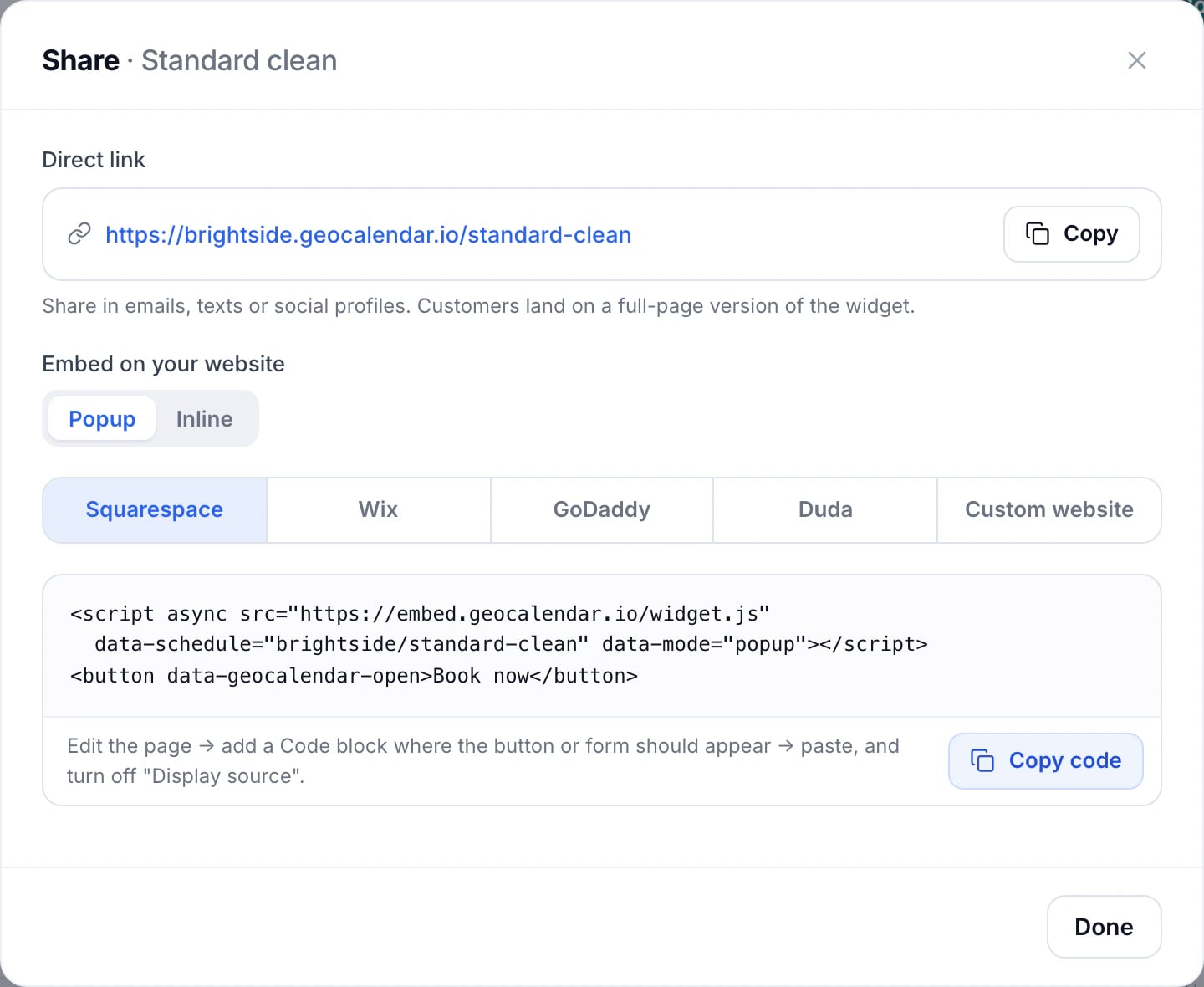
Popup or inline
- Popup adds a button where you paste the code. Pressing it opens booking over your page, and closing it leaves them where they were. It suits a header or the foot of every page.
- Inline puts the whole booking form in the page. It suits a page of its own, like “Book a visit”. Give it room: about 700 pixels tall.
It follows your brand
The booking form uses your logo, colour, typeface and theme from Settings, Branding. See Branding and the badge.
Embedding comes with both plans and your trial. If a trial ends without a plan, the embedded form shows a short notice instead until the workspace subscribes.
Updated November 10, 2026
Learn moreThe booking widget