 GeoCalendar
Your brand
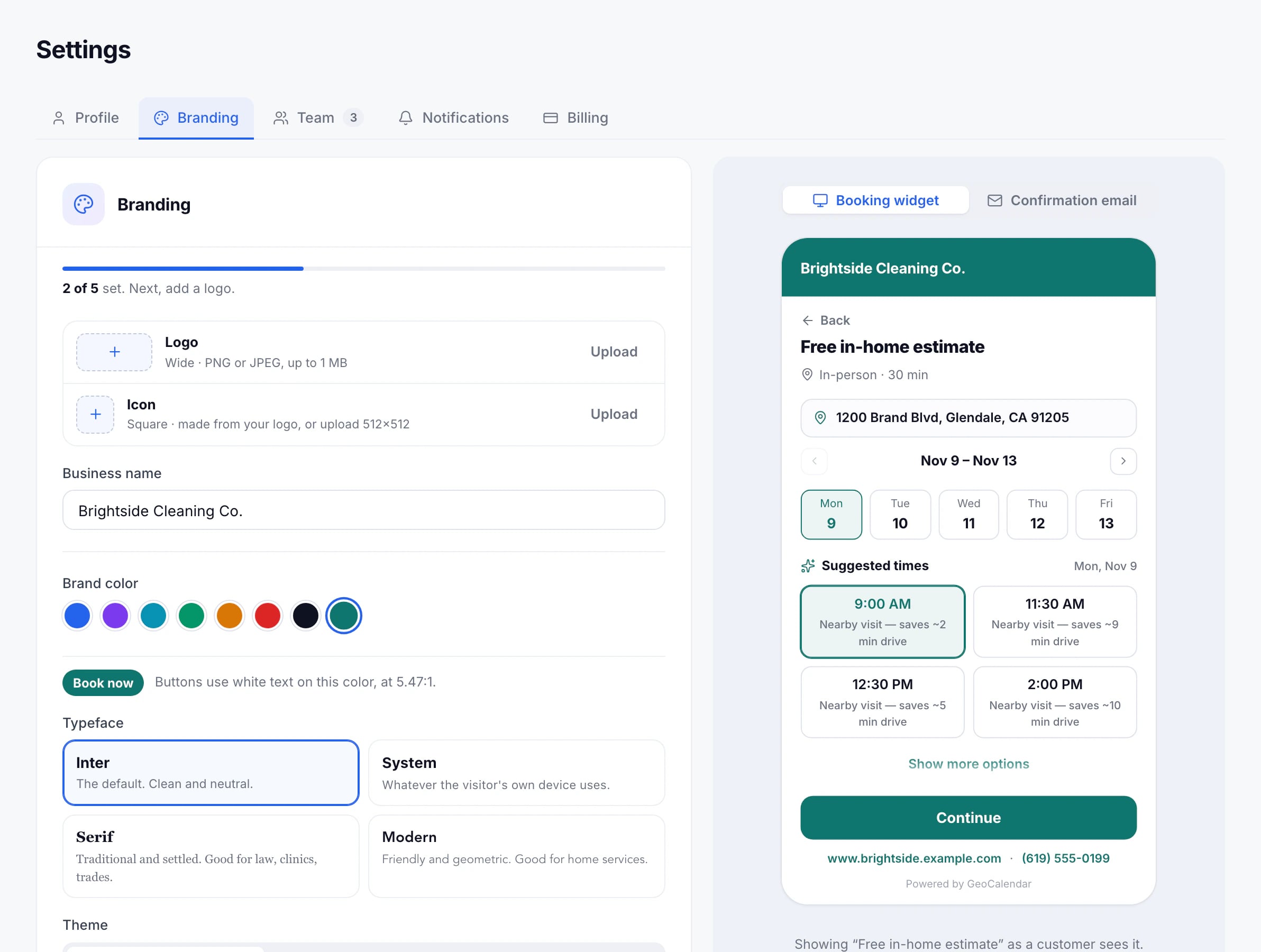
Open Settings, then Branding. Changes save as you make them, and the preview beside them shows the booking page or the confirmation email.
- Logo: shown in your confirmation emails and shared links. A wide PNG or JPEG up to 1 MB.
- Icon: the booking page’s browser tab and the widget’s avatar. Made from your logo, or upload a square one.
- Brand color for buttons and highlights, and a Typeface.
- Theme: light, dark, or whichever the visitor’s device uses.
- Website and Phone, shown on the booking page, and a Confirmation email footer.
With your website saved, Import from my website reads your logo and colour straight off your site, and you choose what to apply.
“Powered by GeoCalendar”
The booking page and confirmation emails carry a small “Powered by GeoCalendar” badge. Turn off Show “Powered by GeoCalendar” to remove it.
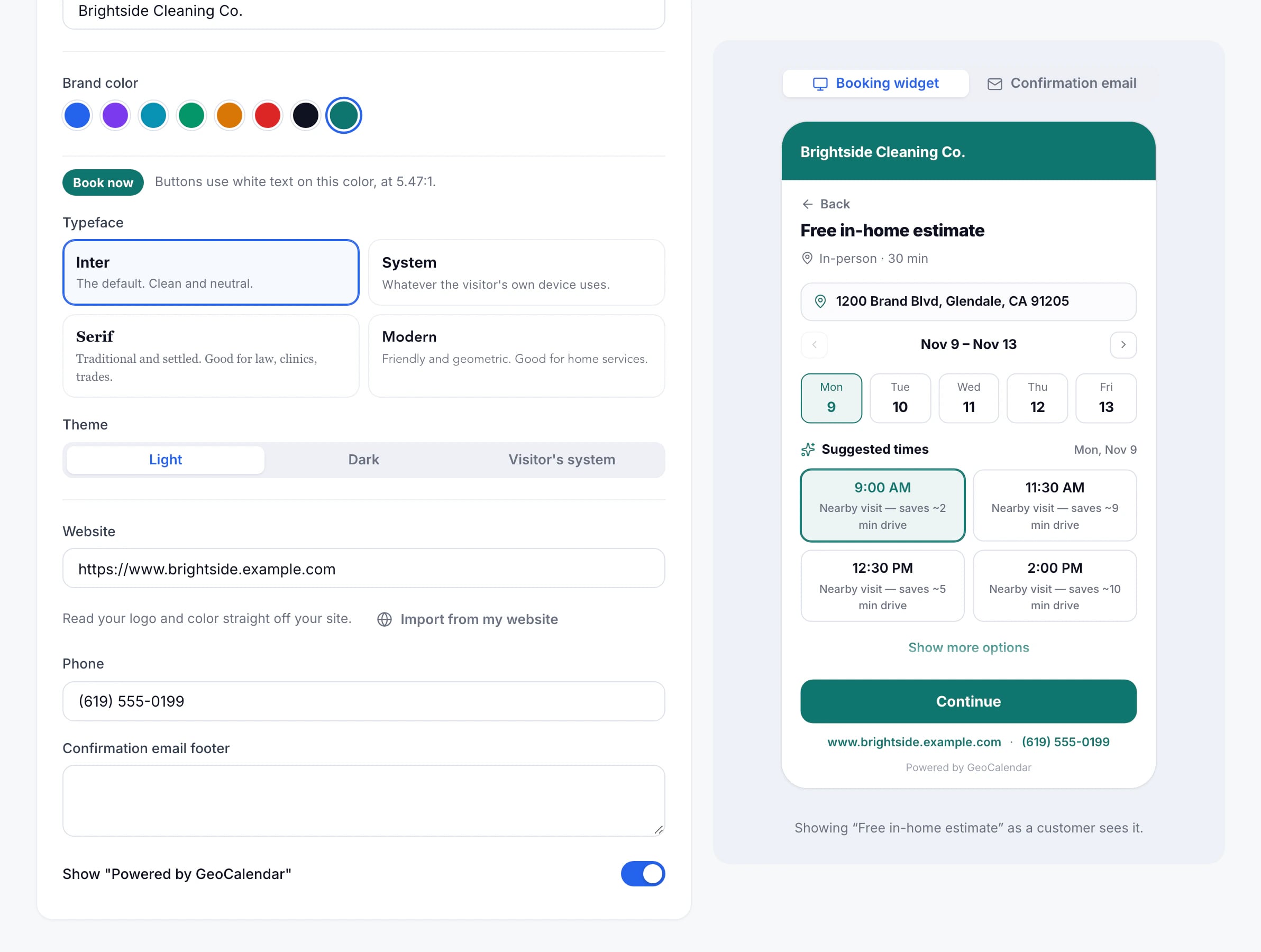
Logo, colour, typeface and theme work on every plan. Turning off the badge comes with the Team plan.
Only admins can change branding.
Updated November 10, 2026
Learn moreThe booking widget