 GeoCalendar
Add it
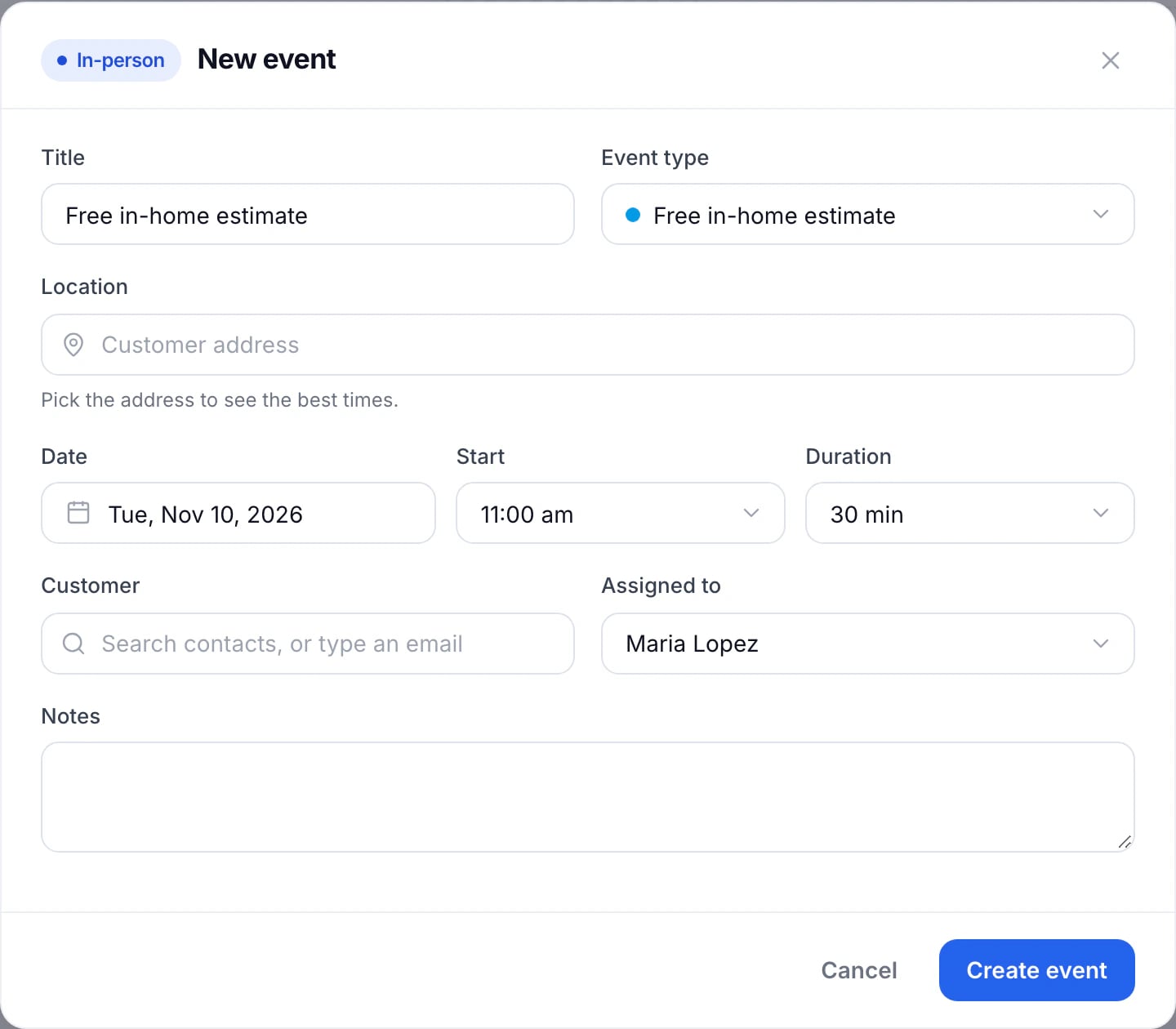
- Press Create at the top of the menu, or press a free space on the calendar.
- Choose the Event type. It decides whether the visit is in person or virtual, and how long it is.
- Type the Location and choose it from the list. For a virtual visit, choose the platform instead.
- Choose the Customer from your contacts, or type their email.
- Set the Date, Start and Duration. Admins can choose who it’s Assigned to.
- Add any Notes, then press Create event.
What happens next
The visit goes on the calendar, and on the connected calendar of whoever it’s assigned to, with the drive to and from it.
A visit you add yourself doesn’t email the customer: let them know the time yourself. Bookings customers make on the booking page are the ones that send confirmations and reminders.
Updated November 11, 2026