 GeoCalendar
Your week
Open Calendar. It opens on this week, with your visits, the drives between them, and the hours you don’t work shaded. Today, and the arrows beside it, move between weeks.
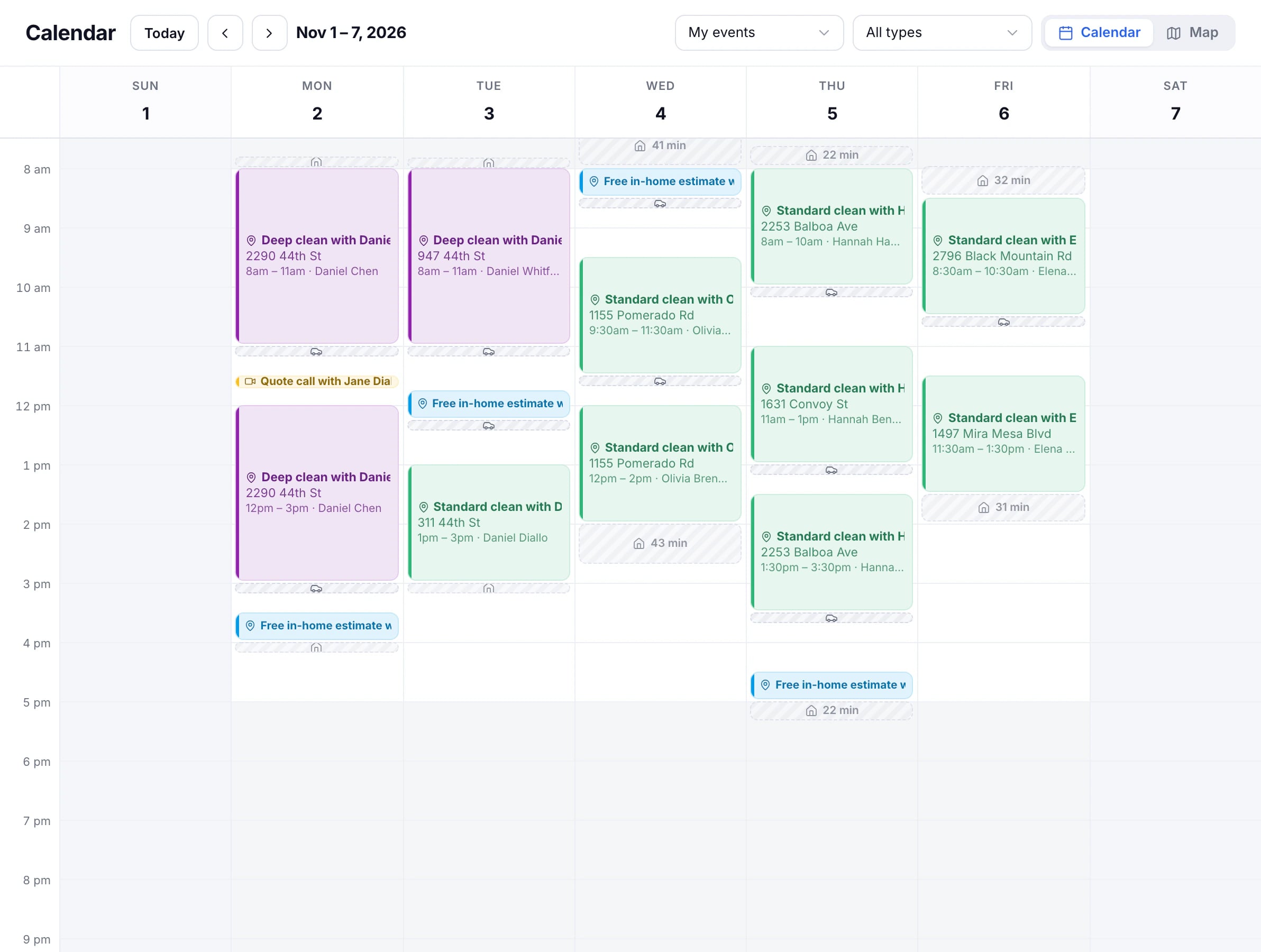
- Choose an event type in the filter to see only its visits.
- Press a visit to open it, and a free space in the grid to add one there.
- Visits from your own calendar show too, so you see the whole day. They block booking like any other.
Someone else’s week
Admins have a People menu: choose a teammate to see their week, with their own hours shaded.
Everyone’s day
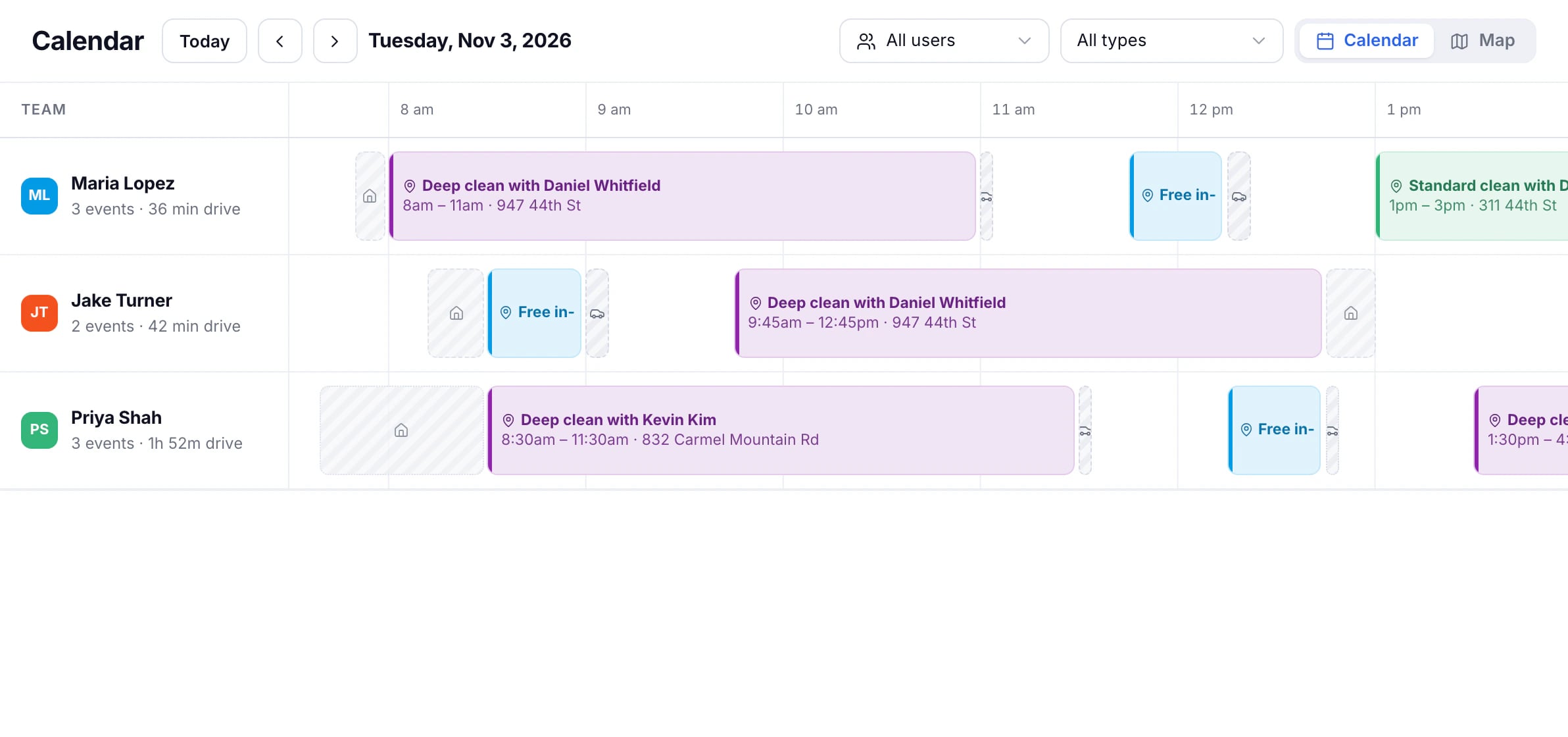
Choose All users in the People menu. The calendar becomes one day, with a row for each person, their visits and their drives, so you can see who is where.
Updated November 11, 2026
Learn moreThe calendar