 GeoCalendar
Each event type has its own colour, chosen beside its name in the editor. Once a calendar is connected, GeoCalendar can show your visits in the colours Google Calendar or Outlook gives them instead.
Use the calendar’s colour
Open the event type and press More options. Use the calendar’s colour is the last switch. It’s on for every new event type.
- On: the event type’s visits show the colour they have in Google Calendar or Outlook: their own event colour or category colour, or else the calendar’s colour.
- Off: they always show the event type’s colour. New bookings are added to Google Calendar in the Google colour closest to it.
Appointments you add straight to Google Calendar or Outlook show the colour they have there.
Outlook category colours
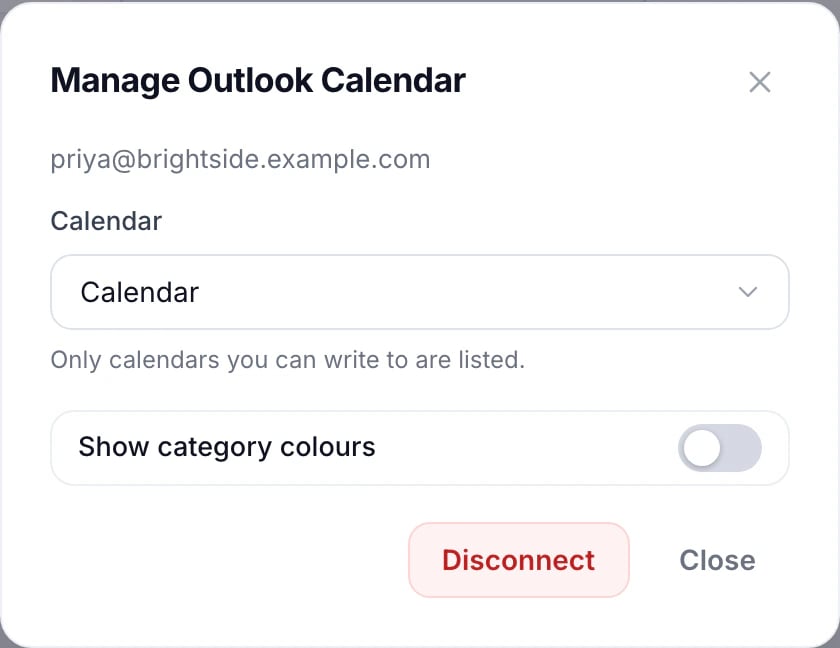
For Outlook, first turn on Show category colours under Integrations, Manage on Outlook Calendar. Outlook asks for permission to read your categories.
Updated November 11, 2026