 GeoCalendar
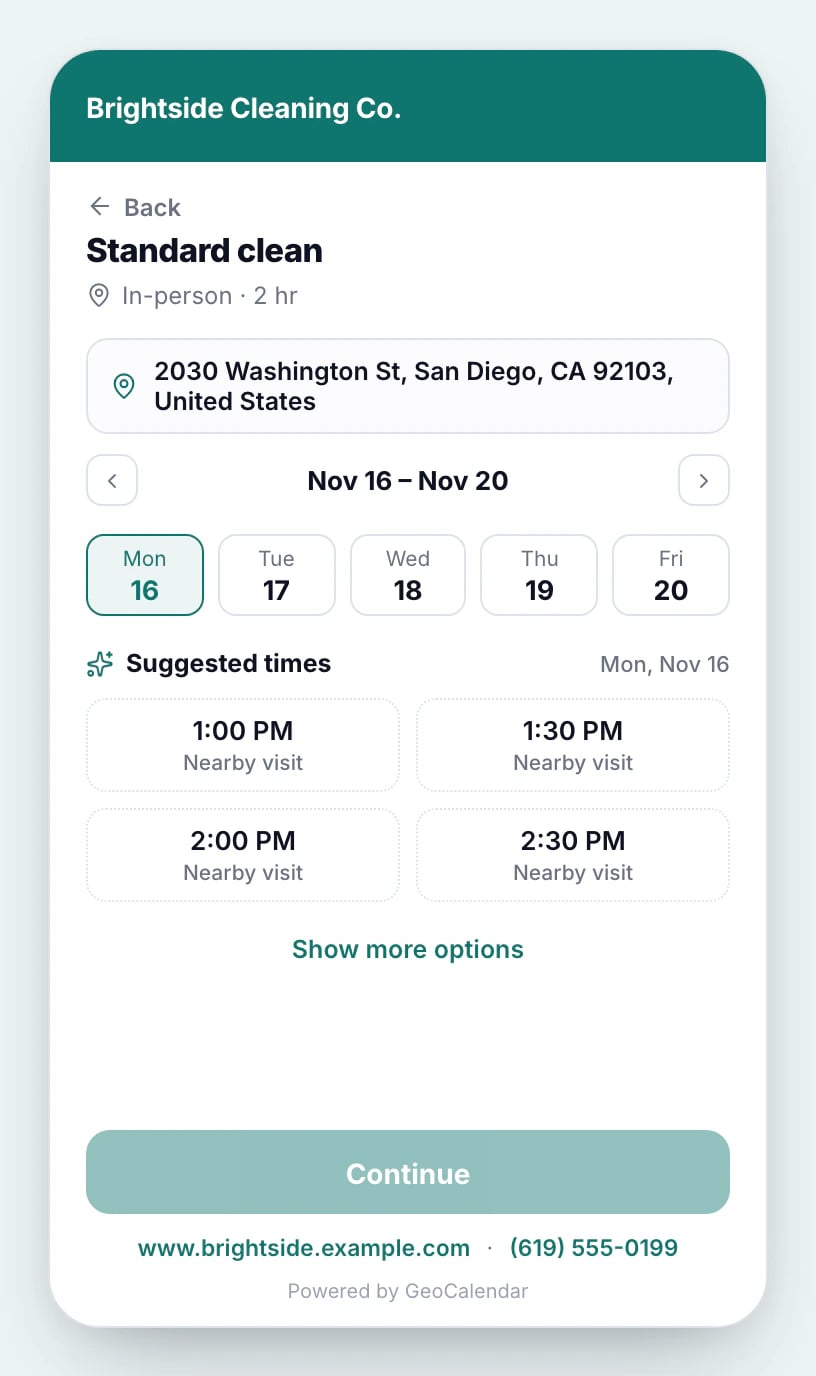
Smart Suggestions works on in-person event types. Once the customer gives their address, the booking page leads with a short list of suggested times on each day, the ones that add the least driving to the day of whoever goes.
Turn it on
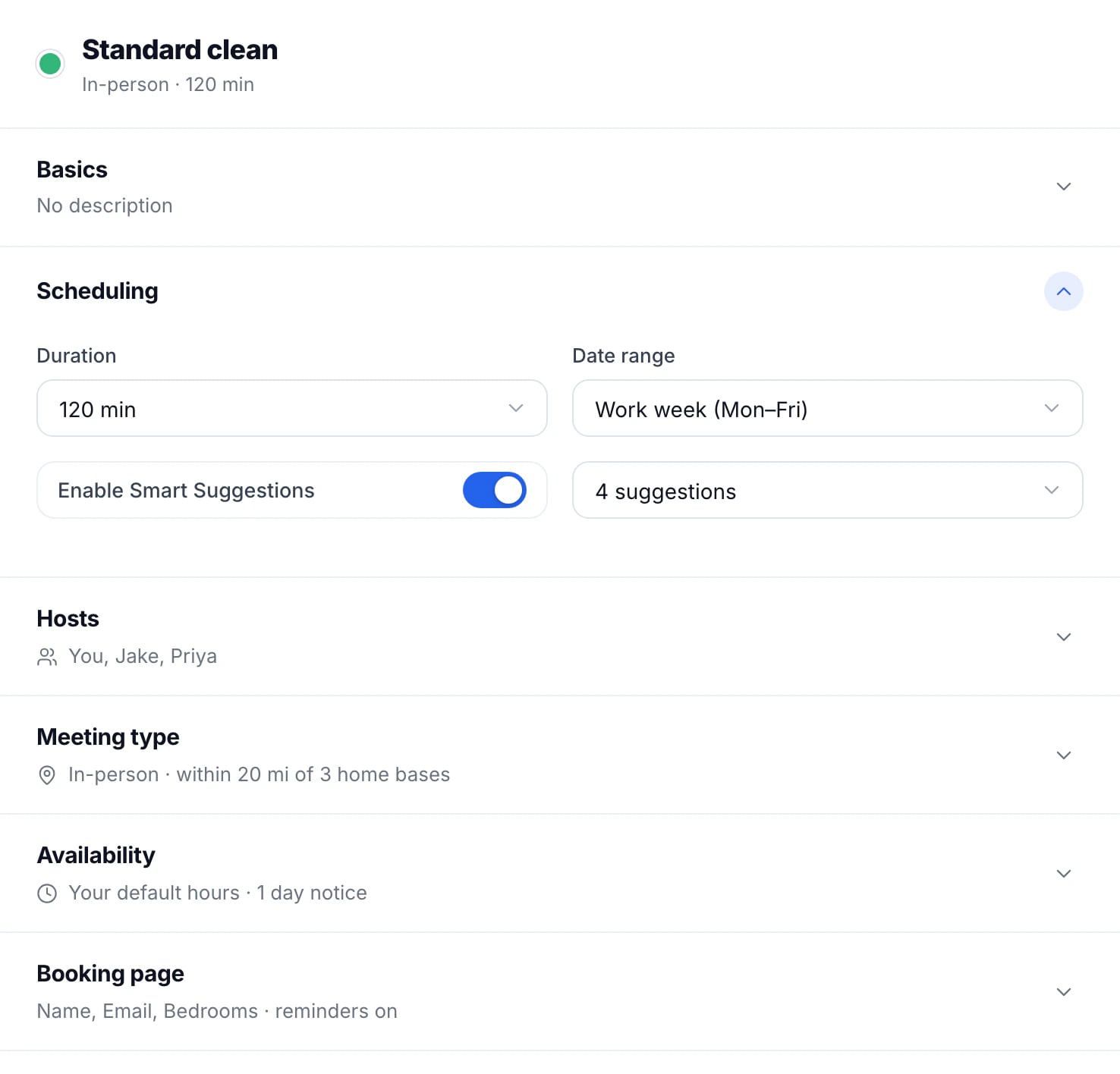
- Open Event types and open an in-person event type.
- Open Scheduling and turn on Enable Smart Suggestions.
- Choose how many suggestions a day shows, from 1 to 10. Four is a good start.
- Press Save changes.
What customers see
Each suggested time says it’s near a visit, and how many minutes of driving it saves when it saves some. Show more options opens every open time, so a customer who needs a different time can still book it.
A virtual event type has no drive to plan around, so it always shows every open time.
Updated November 10, 2026
Learn moreEvent types