 GeoCalendar
Set the area
- Open the event type and its Meeting type section. It has to be In-person.
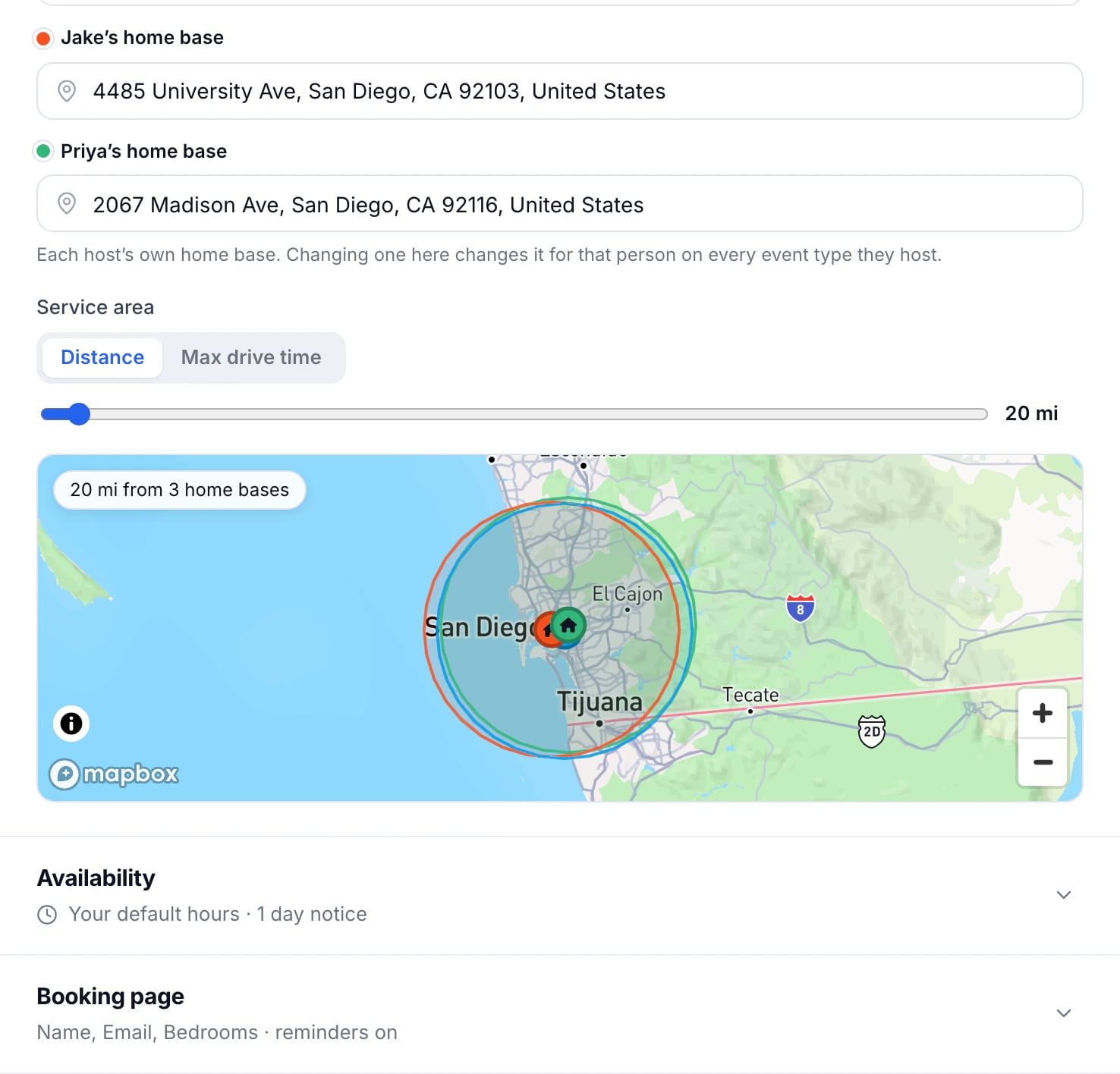
- Under Service area, choose Distance for a radius around each home base, or Max drive time for everywhere within that many minutes’ drive.
- Move the slider. The map below it shows the area that can book.
- Press Save changes.
What customers outside it see
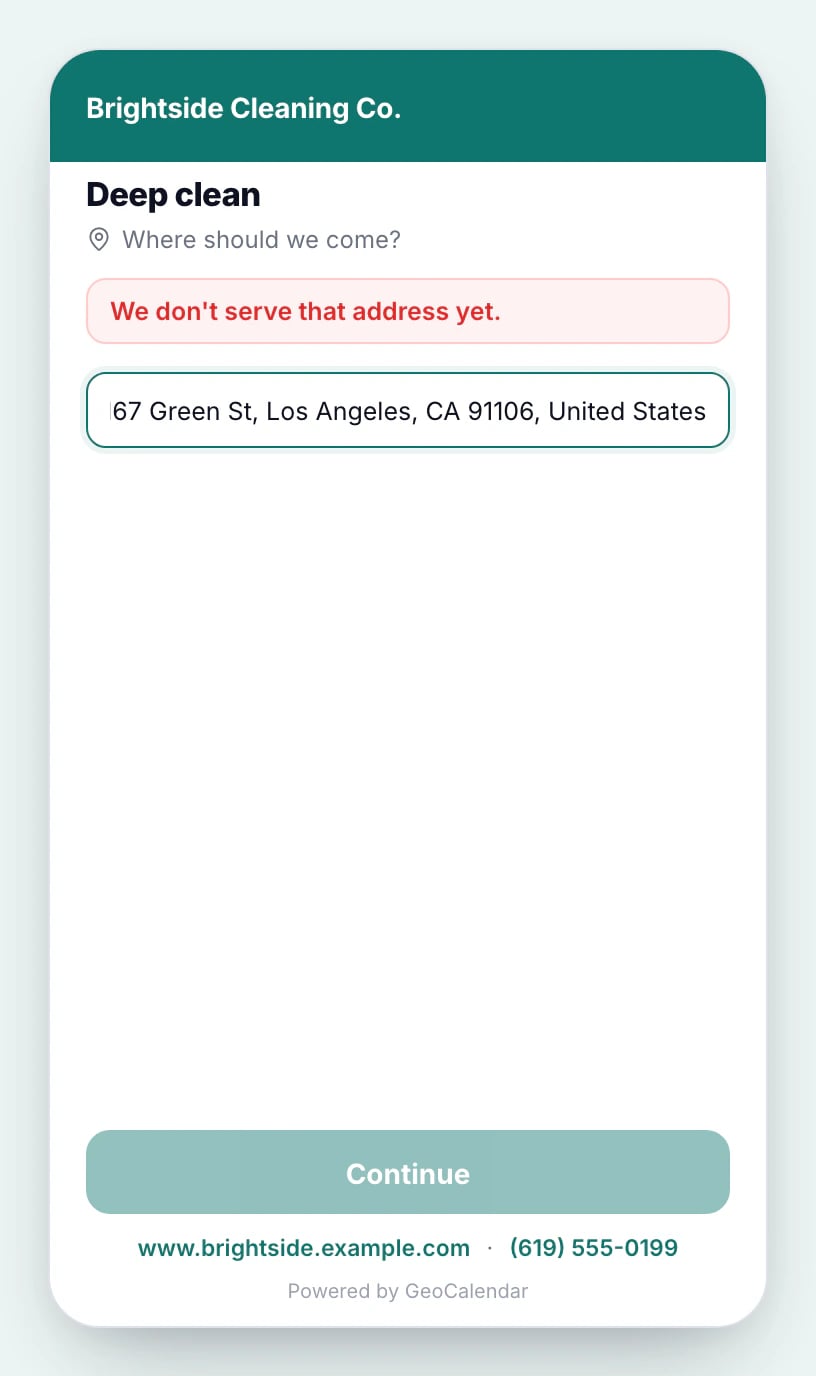
The address is the first thing an in-person booking page asks for. An address outside the area is turned away right there, before any time is shown, so nobody books a visit you won’t drive to.
With several hosts
The area is measured from every host’s home base, so an address within reach of any one of them can book. Teammates who all start from the same yard count once.
Updated November 10, 2026
Learn moreEvent types