 GeoCalendar
Rather than an event type for each job, one event type can offer several. The customer chooses one on the booking page, and its length decides the times they see.
Add services
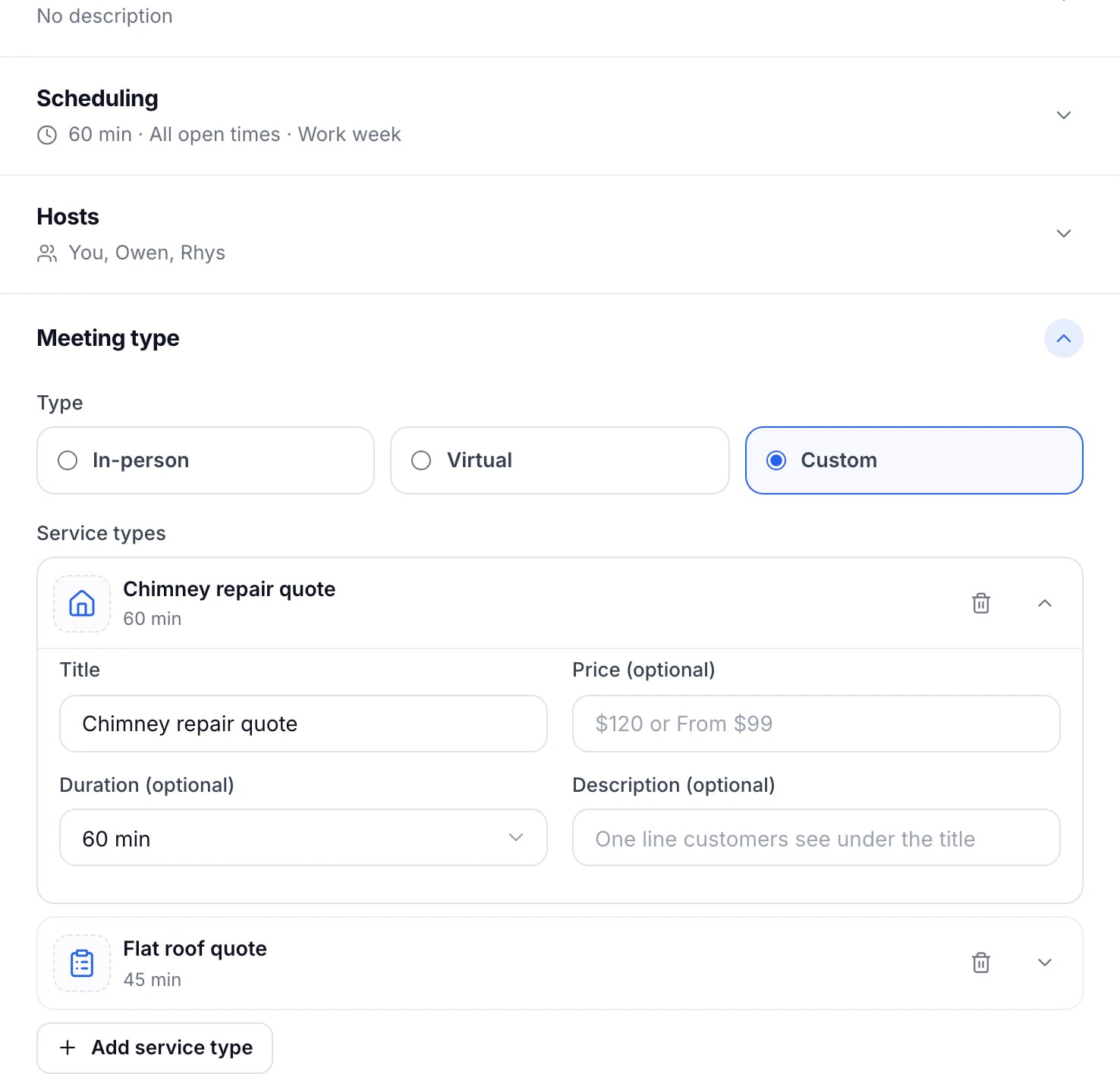
- Open the event type and its Meeting type section.
- Choose Custom.
- Press Add service type for each service, and give it a Title.
- Add a Price (optional), a Duration (optional) and a Description (optional). A service without a duration uses the event type’s.
- Press the icon beside a service to choose another icon, or upload a PNG or JPEG of up to 1 MB.
- Press Save changes.
What customers see
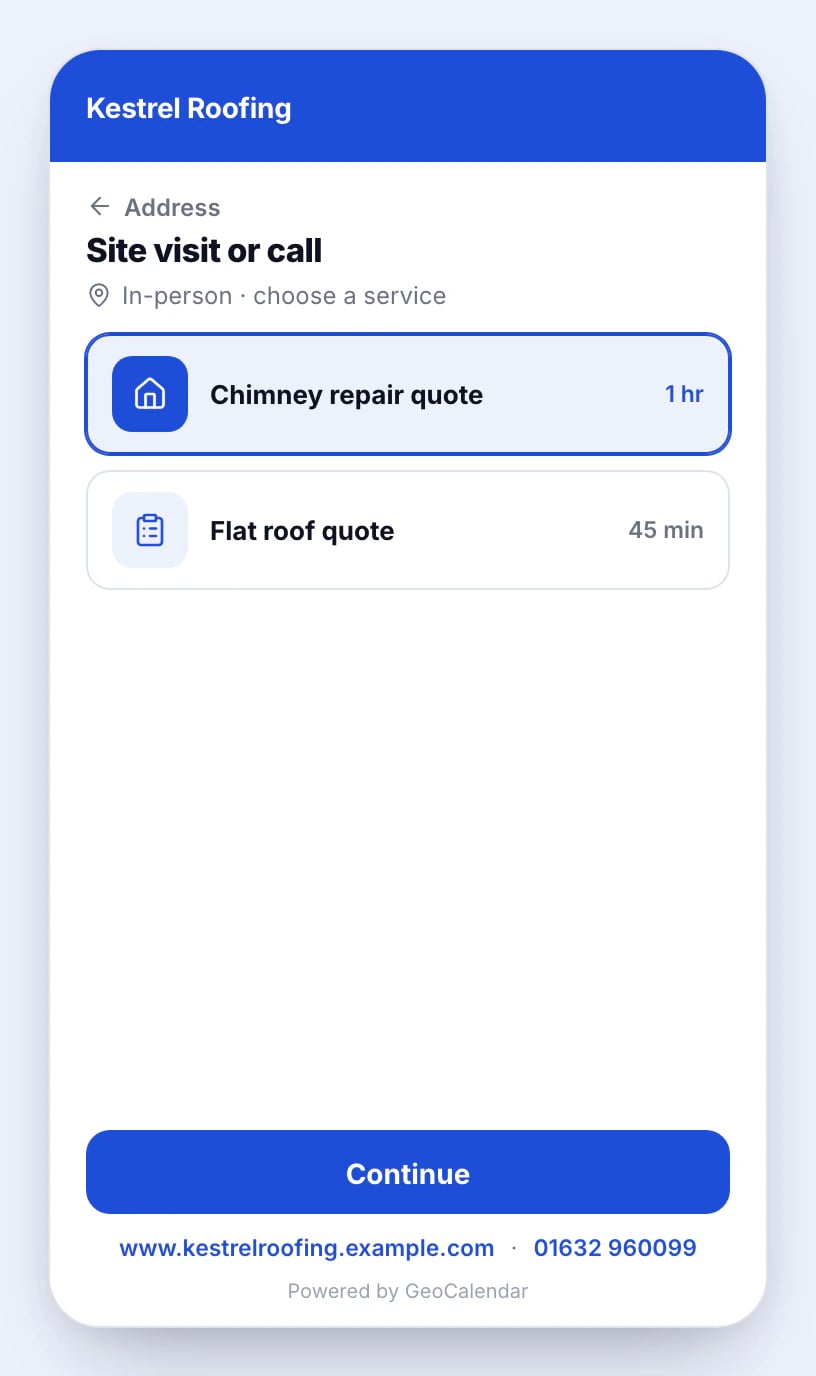
After the address, the booking page lists the services with their pictures, prices and lengths. The rest of the booking goes on as usual, and the service chosen is on the booking.
Updated November 11, 2026
Learn moreEvent types