 GeoCalendar
Open Event types and press an event type to open its editor. Each section on the left opens with a click, and its closed line sums up what’s in it. The preview on the right is the booking page as it stands.
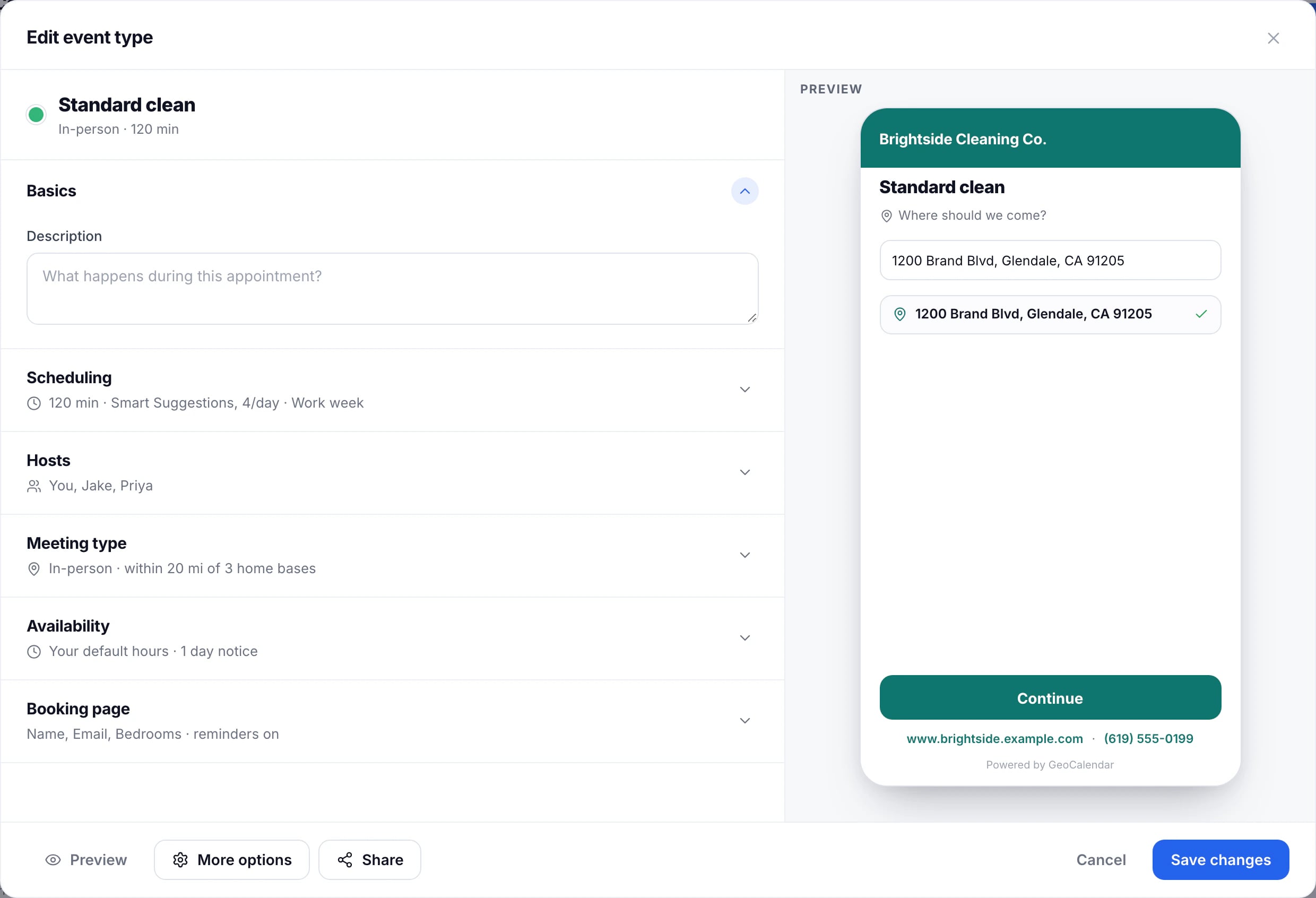
Changes take effect when you press Save changes. Closing the editor first asks whether to discard them.
Scheduling
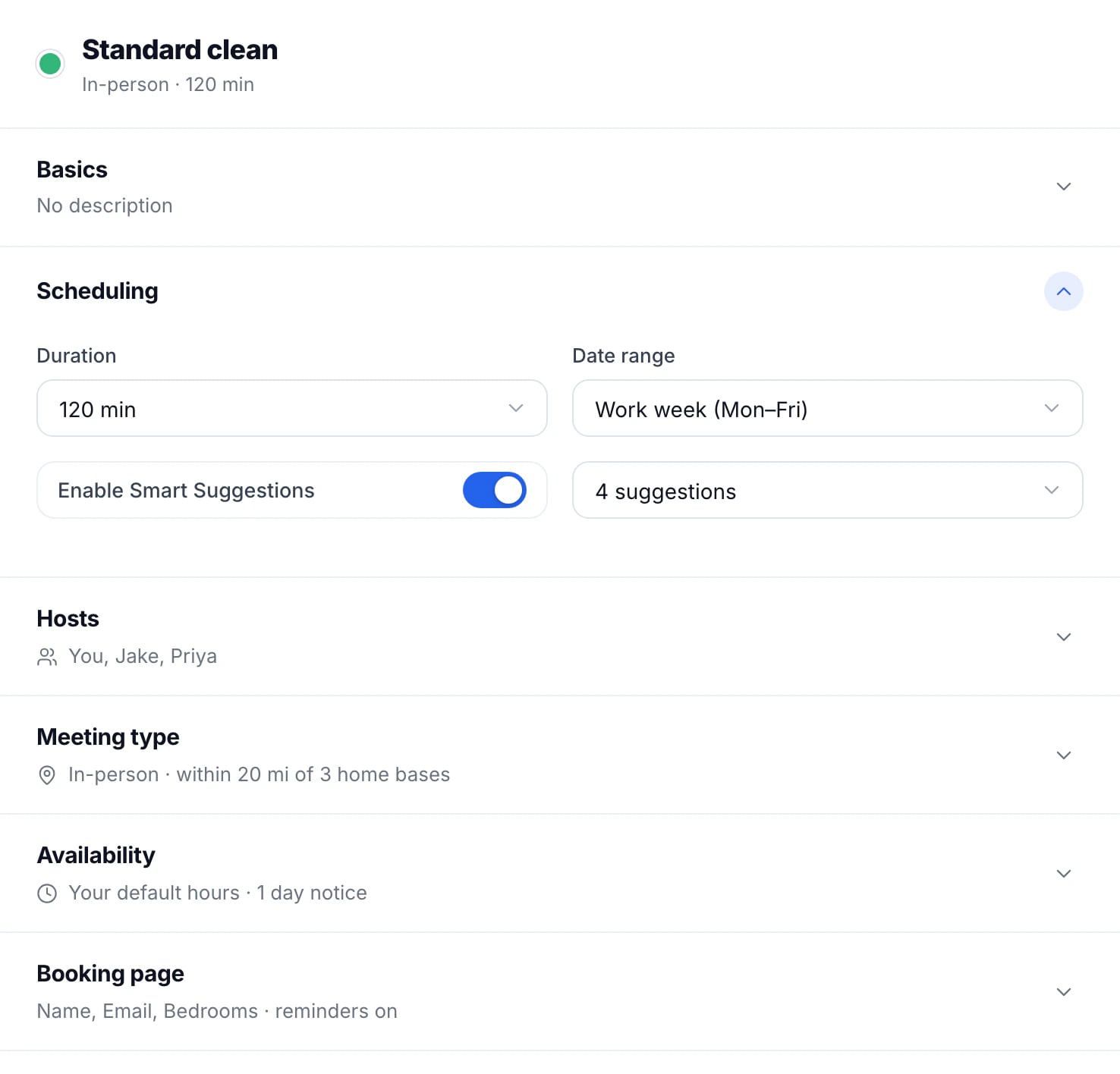
- Duration: how long the visit takes, from 15 minutes to 2 hours.
- Date range: how the booking page lays out the days: the work week, the whole week, or a month with a calendar to pick a date from first.
- Enable Smart Suggestions, and how many suggested times to show a day. See Turn on Smart Suggestions.
How soon customers can book
Under Availability, Minimum notice keeps customers from booking too close to now: 4 hours, or 1, 2 or 3 days. A new event type starts at 1 day.
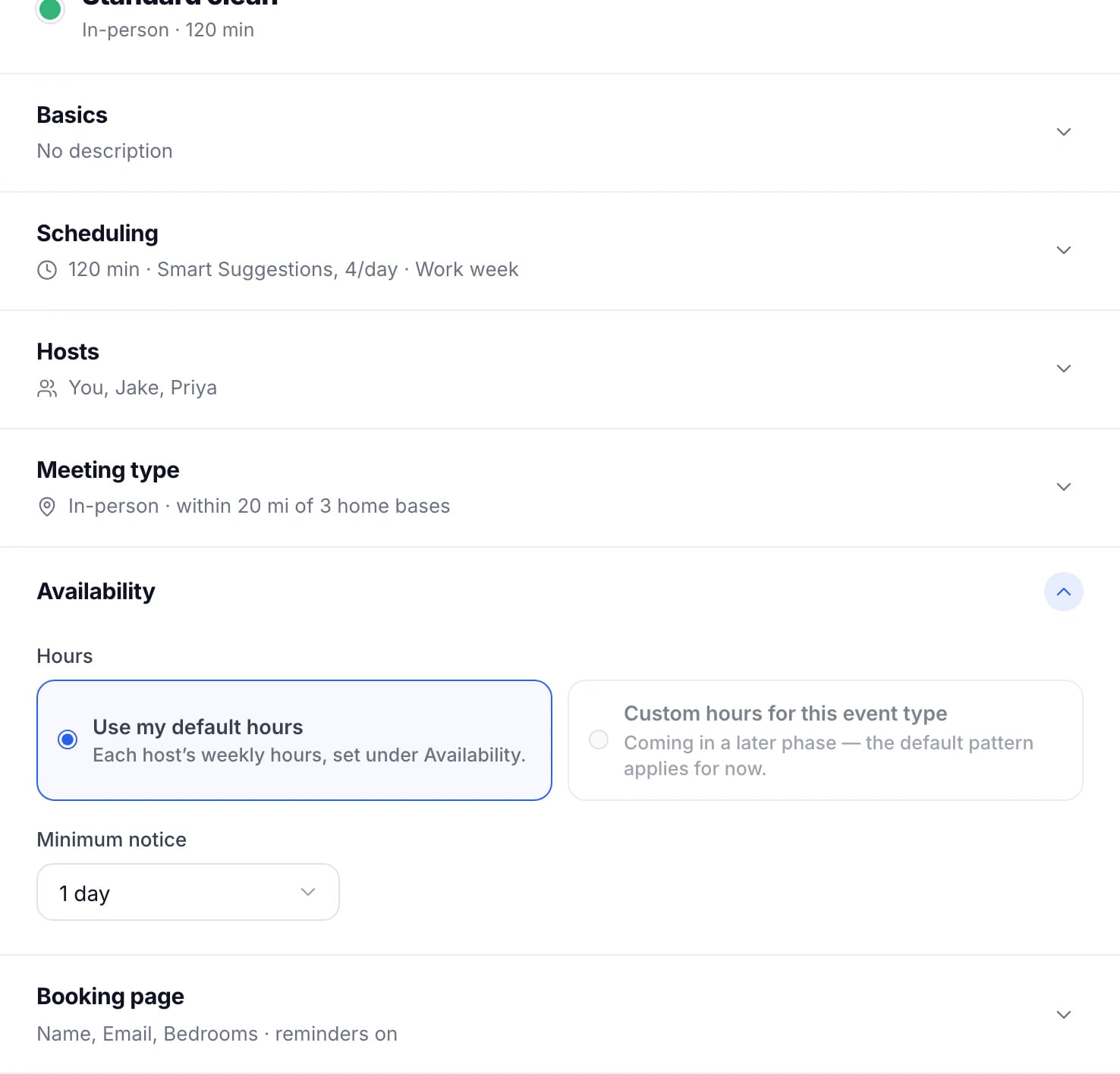
An event type uses each host’s weekly hours from the Availability page.
More options
Press More options at the foot of the editor for the rest:
- Max bookings per day: no limit, or 4, 6 or 8. Once a day has that many, it offers no more times.
- Date range: how far ahead customers can book: 30, 60 or 90 days.
- Buffer before and Buffer after: time kept free around each visit, up to 15 minutes. See Buffers before and after a visit.
- Start time increments: whether times start every 15, 30 or 60 minutes.
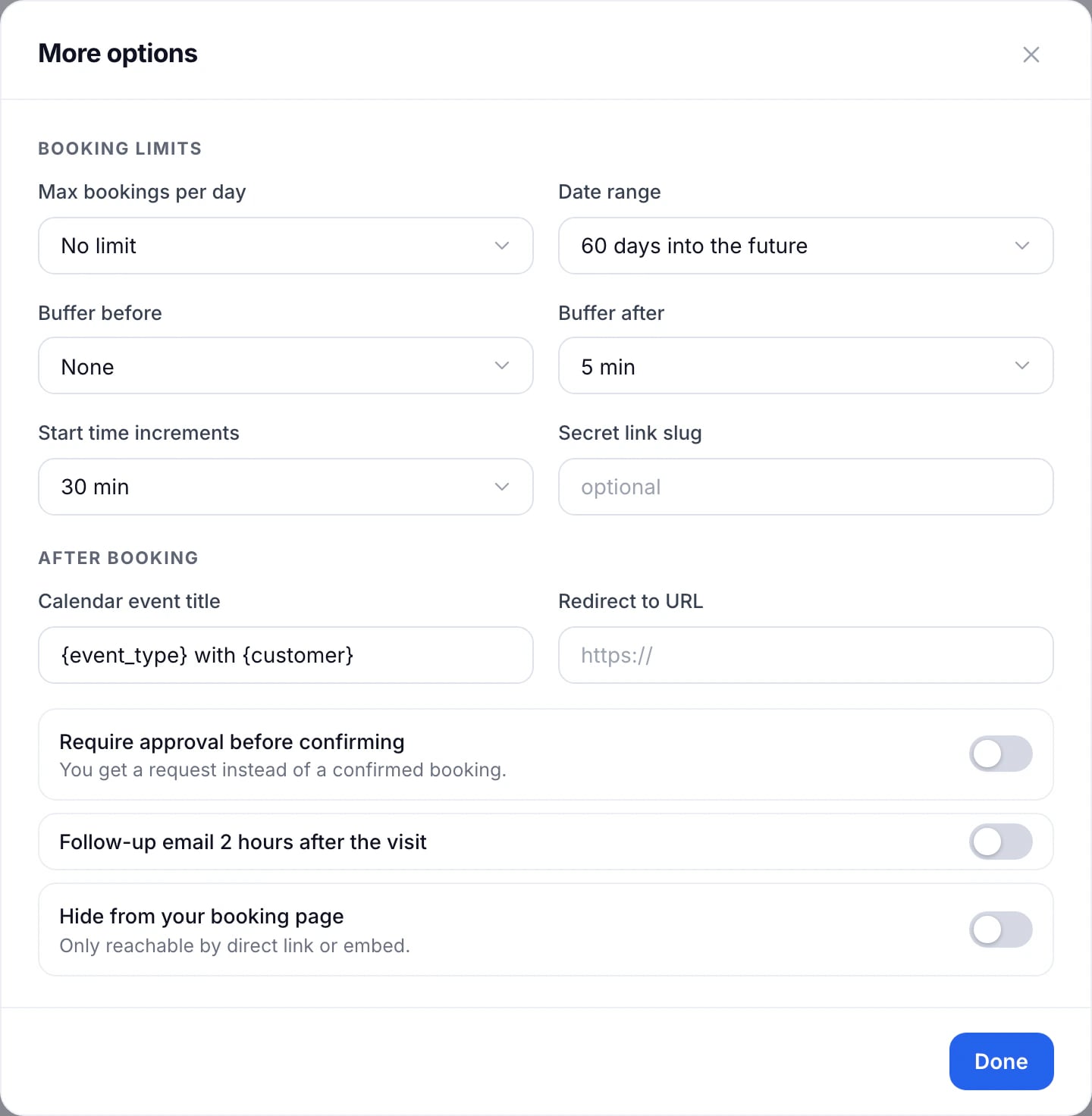
The same dialog has a secret link, approval, the title of the calendar event, a page to send customers to after they book, and whether visits use the calendar’s colour.
Updated November 11, 2026
Learn moreEvent types