 GeoCalendar
Open the event type and its Meeting type section. Choose one of three:
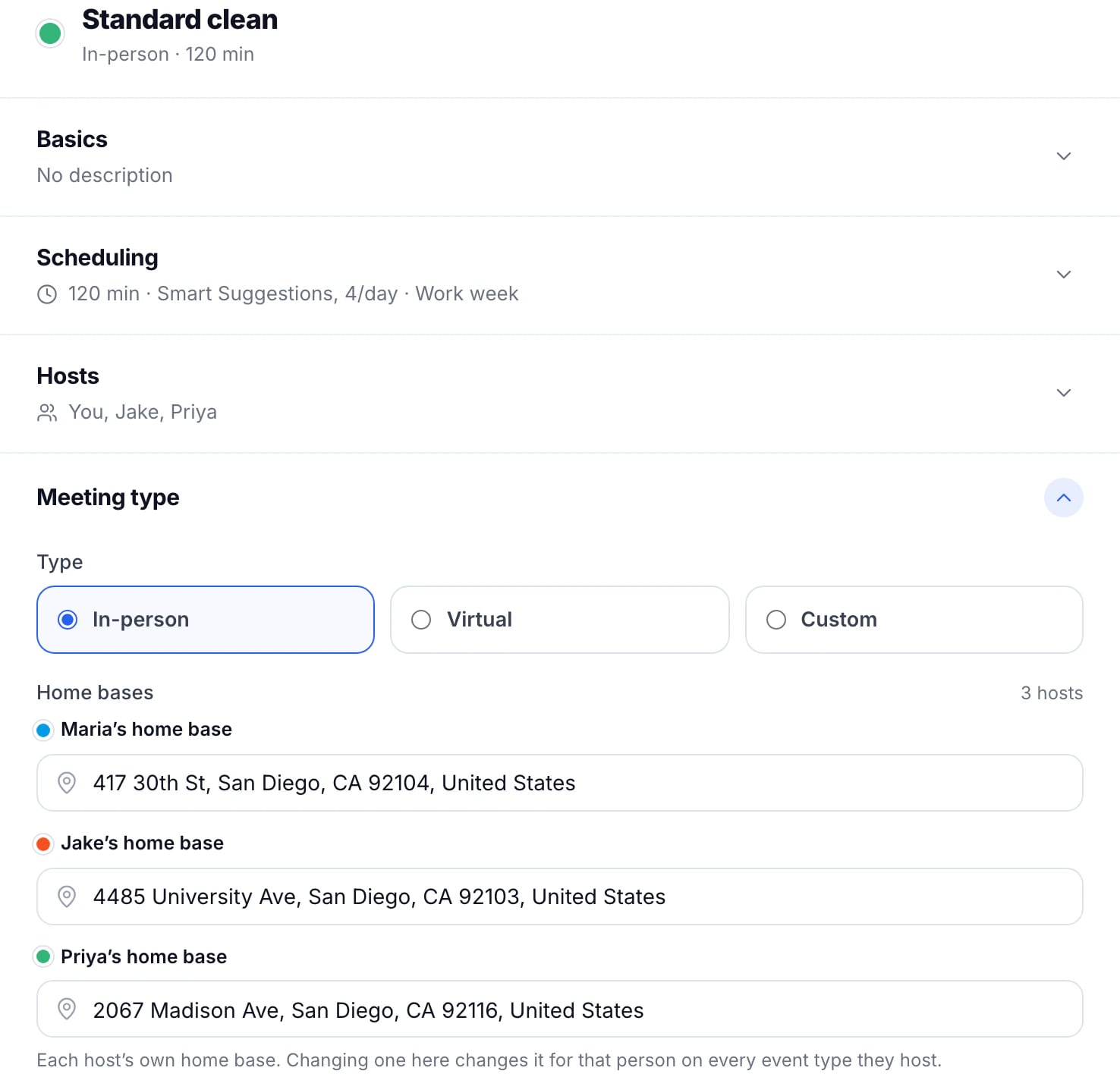
- In-person: at the customer’s address. The booking page asks for it first, and GeoCalendar plans around the drive.
- Virtual: a video or phone call. No address, no drive.
- Custom: several services in one event type, each with its own length and price. See Several services in one event type.
In person
Below the choice are each host’s home base, where their days start and end, and the service area: how far from a home base an address may be and still book.
Virtual
Choose the Platform:
- Google Meet: a Meet link for each booking, from the host’s Google calendar.
- Microsoft Teams: a Teams link for each booking, from the host’s Microsoft 365 work or school calendar.
- Phone: no link; the host calls the customer. Add a Phone question to the booking form so you have their number.
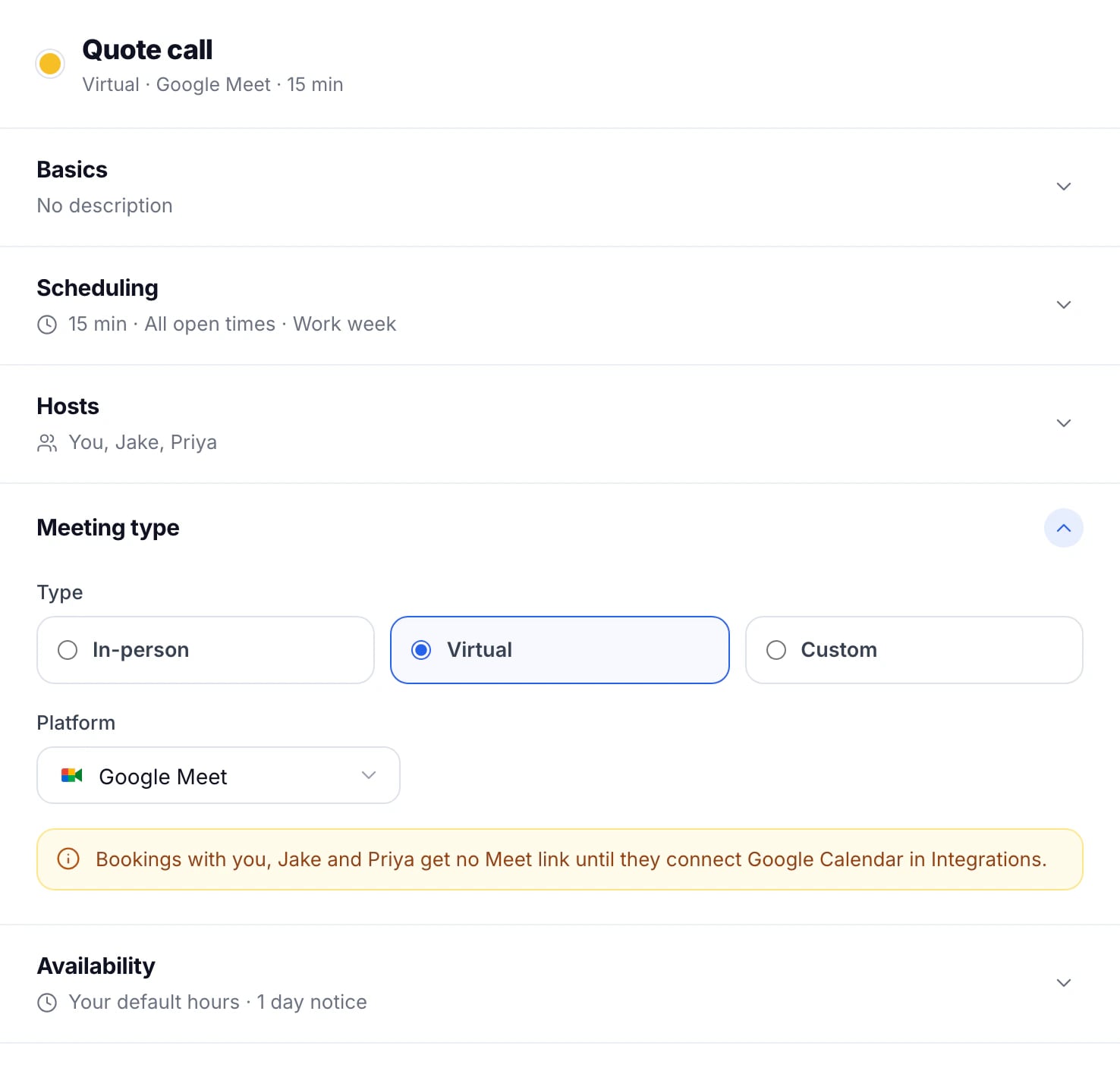
A host who hasn’t connected the matching calendar gets no link, and the editor says so under the platform. The link goes out in the confirmation email and on the calendar event.

Zoom is coming soon: see Use Zoom for virtual bookings. Until then, choose Google Meet, Microsoft Teams or Phone.
Updated November 11, 2026
Learn moreEvent types